Author: HANIALHAJ

  • Clinic digital signage in Jordan: what to show in the waiting room, and what never to

    Digital signage: a practical guide from Nplay. This article covers what matters about digital signage, from the first idea to delivery.

    A waiting-room screen is the one piece of communication every patient actually sees. Used well, it tells people about services and partner providers they did not know existed. Used badly, it shows a stale poster, a stray internal notice or, worst of all, someone’s personal information. This guide to clinic digital signage in Jordan covers what belongs on reception and waiting-room screens, how to keep them queue-neutral and private, and a simple approval flow. We deliver this on our digital signage service in Amman, and the principles hold for any supplier.

    What a waiting-room screen is for

    People in a waiting room have time and little to do. That makes the screen valuable, and also makes mistakes visible, because nobody is hurrying past it. A good clinic digital signage plan starts by deciding what the screen is for, rather than by filling it with whatever is available.

    For most clinics and medical centres in Jordan the answer is three jobs: tell patients what the building offers, orient them in a multi-clinic site, and give general information that suits a public room. That is exactly the brief we met in an integrated healthcare hub in Amman, where a large portfolio of clinics and services had no way to reach the patients already on site. Read how it works in practice in our medical hub signage case.

    Content

    What belongs on clinic screens

    Keep it informative and calm. If a slide would look at home on a billboard, ask whether it belongs here.

    Services

    New services and departments

    Announce a new clinic, a new service or extended opening hours with a short, factual slide. Patients waiting for one clinic often learn about another this way.

    Partners

    Partner providers

    A hub with laboratory, radiology or specialty partners can introduce them on a rotating playlist, with the partner’s name, what they offer and how to book.

    Orientation

    Where things are

    Floor and department directions, reception hours, payment and booking points, and which door to use for which clinic.

    Information

    General health information

    Approved, general-purpose material such as hygiene reminders or seasonal notices, supplied or signed off by your own clinical team. We do not write medical content for you.

    Practical

    Contact and booking details

    A phone number, a WhatsApp contact and a QR code to book or ask a question keep the screen useful after the slide has gone.

    Internal

    Staff notices in a separate playlist

    Keep staff announcements away from patient screens. If the same system serves both, use separate groups so an internal notice never reaches reception.

    Keeping the screen queue-neutral

    A waiting-room screen sits in an emotional place: people are anxious about time. Information that looks like a queue can create disputes. If a slide implies that a number, a name or a clinic comes next, patients will read it as a promise.

    Our rule for clinic digital signage is simple. Do not show waiting positions, estimated waits or call-out lists on a general content screen. If your clinic uses a queue or appointment system, let that system own those displays, on its own device, with its own rules. Information such as opening hours, where to pay and how to book is fine, because it is the same for everyone and it does not rank anyone. We can place queue information beside the general content in later phases if you have a queue system that exposes it, but we would treat it as a separate project, not as a slide.

    Privacy: no patient data on a public screen

    Anything on a waiting-room screen is seen by everyone in the room. Treat it as a public notice, and keep out of it:

    • patient names, ID numbers, appointment lists or telephone numbers;
    • test results, diagnoses, treatments or any individual medical detail, even without a name;
    • photographs or video in which a patient can be recognised, unless you hold clear written consent for that exact use;
    • screenshots of internal systems, spreadsheets or emails that happen to contain such details;
    • testimonials that identify a person or reveal a condition.

    Staff photos and doctor profiles need the person’s agreement too. We also advise keeping screen sound off by default in a waiting area, with audio only where the clinic has chosen it. Privacy rules differ and change, so check your obligations with your own legal or compliance adviser; we design the screen not to carry personal data, which keeps the question simple.

    Multilingual loops and calm design

    Patients in Jordan read Arabic, English or both. Write every important slide in Arabic and English, put the dominant language first on the slide, and keep sentences short. Use plain words for services; do not use internal department codes. Where a language other than these two is common among your patients, ask us about adding it to the loop.

    Design for a quiet room. Prefer slow, steady transitions, generous white space, large text and limited colour. Avoid flashing graphics, loud video and anything that reads like a sales pitch. If you want to see how bilingual layouts behave on a real screen, our bilingual signage guide sets out the layout rules we apply, and the same rules suit a reception wall. With Nplay Beam, your team can schedule the Arabic and English versions together and group screens by clinic area, so that a message reaches one waiting room or the whole site.

    Approval flow

    A content approval flow that fits a clinic

    1. Draft

      A named staff member prepares the slide in Arabic and English from a template, using only approved material and no patient information.

    2. Clinical check

      A medical lead or manager checks the wording, the names and the dates. If the slide contains anything health-related, this step is not optional.

    3. Privacy check

      The reviewer asks one question: could anyone in this room be identified by anything on the slide? If yes, it is removed.

    4. Schedule

      An administrator, not the author, uploads and schedules the slide to the right screen group and sets an end date.

    5. Review and expiry

      Each playlist is reviewed regularly. Expired promotions come off automatically at their end date, and old slides are archived, not left on screen.

    How we would start in Amman

    We keep the first phase small. The reference we can point to is the integrated healthcare hub in Amman: four distributed displays in waiting and circulation areas, a shared cloud media library, and the hub’s own team trained to upload and schedule. Clinics and medical centres of any size can follow the same shape.

    The sequence is brief, then placement and sample, then installation, then handover. You tell us the layout, the clinics and the services to promote. We propose screen positions and a content plan, set up the players, connect them to your cloud account, set up dashboard accounts for the people who prepare content and the people who publish it, and train your team. After that you run it yourselves; we stay on hand for support. Beam keeps playing the last synced content if the internet drops, which matters in a room where a blank screen looks like a fault.

    For a quote, send us the layout of your waiting areas and the services you want to feature, through the Amman signage page, or message us on WhatsApp at +962 78 185 5552.

    FAQ

    Clinic digital signage: frequently asked questions

    Can clinic digital signage show appointment or queue numbers?

    We advise against it on a general content screen. A queue or appointment system should own that display, with its own rules. Your content screens carry services, partners, orientation and general information.

    Is it safe to put patient testimonials on the screen?

    Only with clear written consent, and never in a form that identifies a person or reveals a condition. Many clinics choose not to use testimonials in the waiting room at all.

    Who should be allowed to publish to the screens?

    A small, named group. Keep one set of accounts for people who prepare content and another for people who publish, so a second pair of eyes checks everything before it goes live.

    Do you write the health information for us?

    No. We design the layouts and manage the delivery; the health content comes from, or is approved by, your own clinical team.

    Further reading: Digital signage (Wikipedia)

    Quick questions about digital signage

    Who is digital signage for? Companies and institutions that want a clearer, faster experience for their customers and visitors.

    How long does digital signage take? It depends on the size of the project and the content needed. We confirm the timeline after a short discovery call.

    How do I start with digital signage? Contact the Nplay team in Amman or Riyadh and we will suggest a clear first step.

    Does digital signage work in Arabic and English? Yes. We prepare the content in both languages from day one.
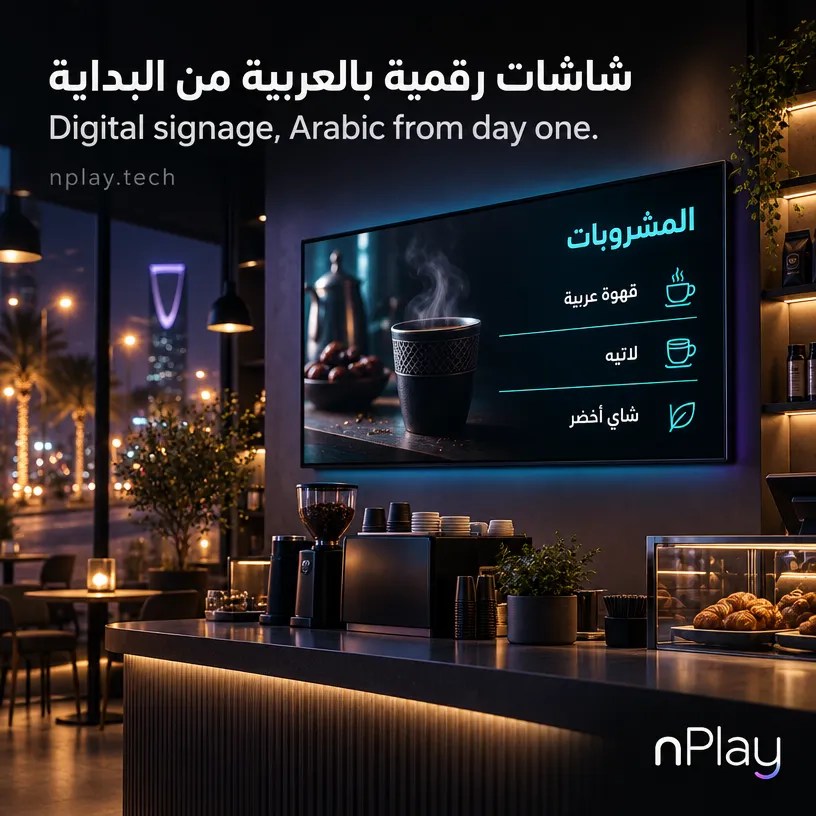
    Arabic digital signage by Nplay
    Arabic digital signage by Nplay
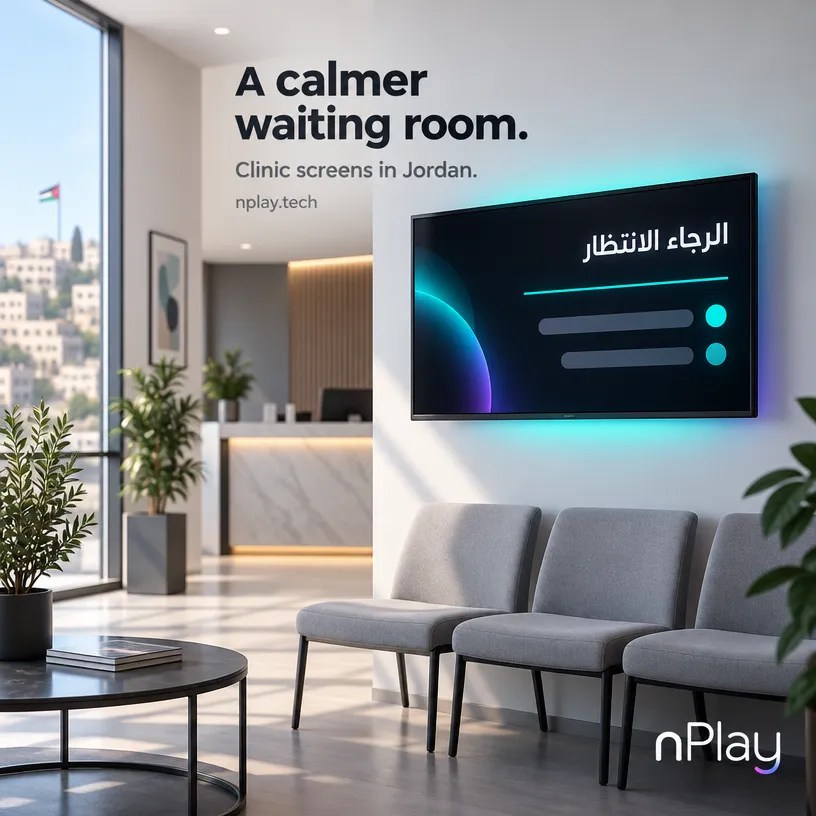
    Digital signage for a calmer waiting room by Nplay
    Digital signage for a calmer waiting room by Nplay
    Digital signage menu boards by Nplay
    Digital signage menu boards by Nplay
  • Your café screens are a channel, not a TV

    Cafe digital signage: a practical guide from Nplay. This article covers what matters about cafe digital signage, from the first idea to delivery.

    Most cafés have a screen. Most of those screens show a muted news channel or a sports match nobody asked for, next to a speaker playing a streaming playlist from someone’s phone. That is two things competing for the same customer. Cafe digital signage done properly turns the screens and the speakers into one channel that you programme — with Nplay Beam, from a browser, for one café or fifty.

    The TV nobody is watching and the playlist nobody chose

    Walk into ten cafés in Amman or Riyadh and you will see the same setup in eight of them. A television on the wall, muted, showing whatever channel the morning shift found. A speaker, connected to somebody’s phone, playing a streaming playlist that changes character every time the shift changes. Somewhere near the till, a printed A4 sheet with this week’s offer, slightly curled.

    None of this is wrong, exactly. It is just three separate things that nobody is running. The screen belongs to a broadcaster, the music belongs to a streaming service and the offer belongs to a printer. The café — the brand that people actually came for — is nowhere on any of them.

    Now consider the audience. A café customer sits in front of that screen for forty minutes on average, sometimes two hours. They are relaxed, they are looking around, and they are about to decide whether to order a second drink and a dessert. There are very few advertising environments in the world with a captive, comfortable audience of that duration. Most cafés use it to show the weather in another country.

    The point of cafe digital signage — the real point, not the “put a menu on a screen” version — is to take that screen and that speaker back, and run them as one channel that belongs to you.

    Your own café channel: music, video and offers on one timeline

    With Nplay Beam the café’s screens become a private audio-visual channel. You upload your own music playlists, your photos and videos, your promotions and your brand story, and the platform plays them together on one timeline. The music keeps playing while photos and videos show on the screen; the screen shows your offers without stopping the music. The café sounds and looks like itself from opening to closing.

    Smart playlists are what make the two layers coexist. You mix music tracks and video clips in a single playlist. When a video with its own sound plays — a short film about your roastery, say — the system automatically pauses the music layer, and when the video ends the music resumes without a gap. Screens and speakers stop competing.

    Streamed playlists with overlays cover the cafés that want a video-platform playlist or a live satellite channel on the screen. Beam plays the stream and lets you add your own layer on top: a promotional corner, a scrolling text bar, a photo. The sports match is on for the customers who want it; your Ramadan offer is in the corner for everyone.

    External HDMI input does the same for anything plugged in locally — a match on a receiver, a presentation at a private event — with your overlays and messages on top, managed from the cloud rather than by finding the remote.

    Split the screen, layer the message

    A single screen can do more than one job if the layout is designed for it. Beam’s screen layout control divides the display into sections so several content types run at once: a video in the main area, a rotating set of product images down one side, a text bar with today’s offers along the bottom. Layouts are customised to the café’s branding — fonts, colours, logo position — so the screen looks like a designed channel rather than a slideshow.

    Layers work on top of any of this. A promotional pop-up in a corner during the afternoon lull. A text bar announcing that the kitchen closes in fifteen minutes. A static image of the loyalty card while the music plays. Each layer has its own schedule, so the offer that makes sense at 4 p.m. does not appear at 8 a.m.

    For most cafés we recommend starting simple: one full-screen video-and-image playlist with the music layer, and one text bar for offers. Add sections once you have seen how customers react. A screen that is too busy is worse than a muted TV, because at least the TV is calm.

    Schedule the day once — including prayer time

    The feature café owners value most is the one they stop noticing: the day runs itself. Campaign scheduling lets you set a morning music list that starts at opening, an automatic switch to a livelier evening playlist, and promotions that appear at set times — breakfast until eleven, the afternoon dessert offer, the late-night shisha menu where it applies. Set it once and the screens follow the schedule every day until you change it.

    Prayer-time mode is the feature that customers in Jordan and Saudi Arabia notice immediately. When enabled, Beam pauses music and video automatically at each prayer time and resumes afterwards. No staff member has to remember, no customer has to ask, and the café signals respect for its customers’ traditions without a word. It is optional, and for the cafés that use it, it is the reason they chose the system.

    Group screen management means the owner of three branches, or the manager of a café with a terrace and an indoor room, controls each area separately or all together. Play, pause, mute or unmute any screen or every screen from anywhere — including from a phone in the car. A national hypermarket chain runs Beam across 32 branches in Jordan with the same dashboard; the café version is the same platform at a smaller scale, which is why we describe it as digital signage software for Jordan and Saudi Arabia that fits a single shop as well as a chain.

    Walls

    From one screen to a seven-screen restaurant wall

    SetupScreensWhat one Beam device does
    Single café screen1Music layer + video/image playlist + text bar; streamed or HDMI content with overlays; prayer-time mode
    Multi-area café2–4 separate screensDifferent content per area (counter menu, seating, terrace), controlled as a group or individually
    Restaurant 2×2 video wall4, portrait or landscapeOne synchronised canvas or four independent playlists; instant switch to full-wall content; built-in music layer like an in-house radio station
    Restaurant 7×1 portrait wall7 vertical screens, 7560×1920Unified canvas or seven menus; fully synchronised playlists with music overlay; one device, one subscription
    Larger wallsUp to 9 (3×3)Videowall controller option; player variants handle up to seven Full HD videos simultaneously or a single 8K stream

    Restaurant video walls: menus, ambience and one device

    Restaurants have a different problem from cafés. They need menus that change between breakfast, lunch and dinner, they need promotions that do not look like a supermarket, and they increasingly want a wall of screens that sets the mood of the room. A restaurant video wall built the old way needs a media player per screen, a technician to synchronise them and a manager who knows where the USB sticks are.

    Beam’s multi-screen layout replaces that with one device. The 2×2 experience puts four screens in a grid, portrait or landscape, driven by a single Beam player. Each screen can show its own content — four menu categories, say — or all four combine into one synchronised video wall for a film about the kitchen. Playlists per screen switch instantly to full-wall content when you want the whole room to look at one thing, and the built-in music layer runs underneath like an in-house radio station.

    The 7×1 portrait wall manages up to seven vertical screens from one hub, at a combined resolution of 7560×1920. Use it as one long canvas above the counter or as seven independent menu panels, with fully synchronised playlists and music overlay. One device, one subscription, total control — that is the whole pitch, and it is why restaurant owners who were quoted a separate player and installer per screen tend to call us back.

    Behind both sits the same cloud dashboard as the café package, so a group with two cafés and a restaurant runs all three from one login. Our cafés and restaurants page has the layouts in detail.

    What it takes: a player, a subscription and an afternoon

    The installation is deliberately unglamorous. Each screen or wall gets a Beam player — a small Android-based set-top box or, for walls, the multi-output player or videowall controller. Our technicians connect it to the screen and, where the café wants the music through its own speakers, to the amplifier, so the sound system is controlled from the same dashboard. The player is paired to your cloud account, your first playlist is loaded, and the schedule is set. Most single-café setups are done in an afternoon.

    Content plays from the player’s local storage, so a dropped internet connection does not black out the screen; when the connection returns, the player picks up any updates automatically. The dashboard shows every screen live, so you know from your phone whether the terrace display is on before a customer tells you.

    Beam is the same platform we deploy in retail chains, a clinic hub in Amman and a national memorial museum, which means the café package benefits from features built for much larger clients — security, device management, campaign reporting — at café scale. See the hypermarket case study for the large end and the clinic hub for a four-screen deployment closer to a café’s size.

    If your screen is currently showing the weather in another country, that is the afternoon to reclaim it.

    FAQ

    Cafe digital signage: frequently asked questions

    Can we keep showing a sports channel and still run our own content?

    Yes. Beam plays satellite channels or an external HDMI feed on the screen and lets you add your own overlays — a promotional corner, a scrolling offer bar, a static image — on top, all scheduled from the cloud dashboard.

    How does prayer-time mode work?

    When enabled, the system automatically pauses music and video at each prayer time and resumes afterwards. It is optional and configured per location, so a chain can set it differently in different cities.

    Do we need a player for every screen in a video wall?

    No. A single Beam device drives a 2×2 wall (four screens) or a 7×1 portrait wall (seven screens) as one canvas or as independent playlists, with synchronised playback and a music layer. Larger walls use a videowall controller.

    Is Nplay Beam available for cafés in both Jordan and Saudi Arabia?

    Yes. Beam is deployed across Jordan, including a 32-branch hypermarket chain, and is offered as cloud digital signage in Saudi Arabia with installation by our technicians in both markets.

    Further reading: Digital signage (Wikipedia)

    Quick questions about cafe digital signage

    Who is cafe digital signage for? Companies and institutions that want a clearer, faster experience for their customers and visitors.

    How long does cafe digital signage take? It depends on the size of the project and the content needed. We confirm the timeline after a short discovery call.

    How do I start with cafe digital signage? Contact the Nplay team in Amman or Riyadh and we will suggest a clear first step.

    Does cafe digital signage work in Arabic and English? Yes. We prepare the content in both languages from day one.
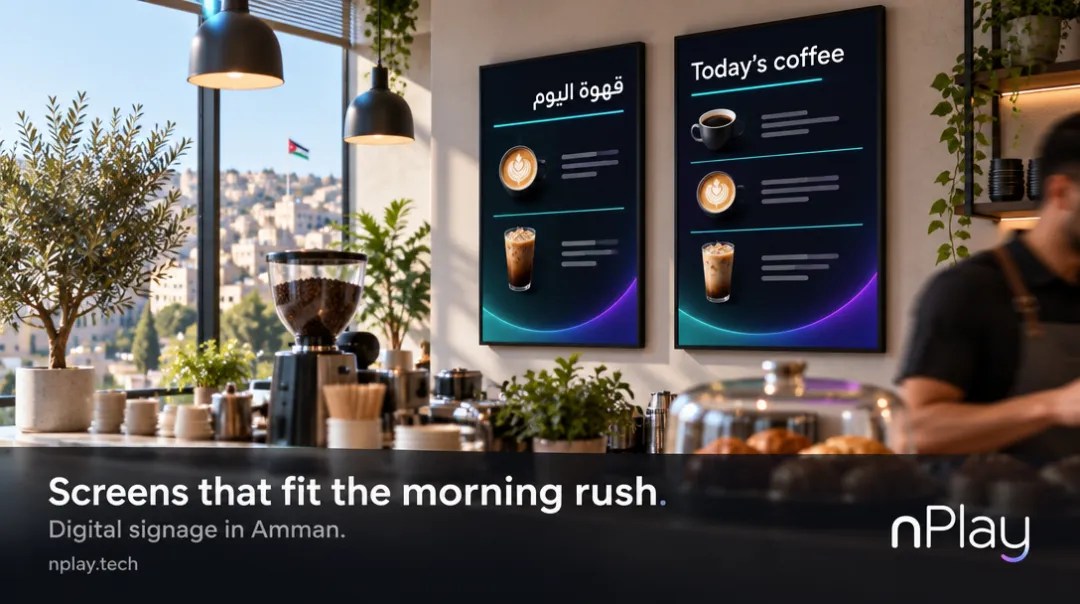
    Arabic digital signage by Nplay
    Arabic digital signage by Nplay
    Digital signage for a calmer waiting room by Nplay
    Digital signage for a calmer waiting room by Nplay
    Digital signage menu boards by Nplay
    Digital signage menu boards by Nplay

    In short, cafe digital signage works best when it starts from a clear goal. Nplay plans cafe digital signage around your audience, your space and your budget. If you are comparing options for cafe digital signage, ask for a live demo before you decide. We are happy to answer any question about cafe digital signage.

    cafe digital signage: Arabic advertising screens by Nplay
    Arabic advertising screens by Nplay
  • Safe VR pod design: the door, the air and the light

    Safe VR pod design: the door, the air and the light

    Safe vr pod design: a practical guide from Nplay. This article covers what matters about safe vr pod design, from the first idea to delivery.

    An enclosed space is only restful if the person inside never has to wonder how to get out, whether the air is clean, or what the equipment is doing. This post sets out the checklist we use for safe VR pod design on SAKINA Pod, our sealed, single-person VR relaxation capsule. SAKINA Pod is a concept in design development, so every figure here is a design target, not a delivered specification.

    Safe VR pod design: the door, the air and the light

    A closed door changes what design has to do

    Most conversations about VR focus on the headset and the content. Inside an enclosed rest space the headset is the smallest of the problems. The person is alone, the door is closed and their vision is covered, so for a few minutes they rely on the design of the space for the air, the light, the sound and the way out.

    That is why we treat safe VR pod design as a discipline in its own right. SAKINA Pod is a sealed, single-person, climate-controlled VR relaxation capsule. It is a concept in design development: we have no price, availability date, pilot, certification or clinical result to report, and we claim none. What we have is a design brief, and its most useful part is a short list of what the pod must never do.

    We write that list as three promises. No trapped feeling. No unclear state. No hygiene doubt. Every decision that follows exists to keep one of them. SAKINA Pod is intended as a calm, rest-focused space for short guided VR relaxation sessions, and is not presented as a treatment for anything.

    The door: four independent provisions, none optional

    The door is where “no trapped feeling” is won or lost. SAKINA Pod is designed with a smoked acrylic sliding door and a fail-safe lock: when something goes wrong, the person must end up safe, not stuck.

    Our brief calls for that lock to be backed by four independent safety provisions. We are not listing the mechanisms here, because they stay indicative until we freeze the design with a fabricator. These are the kinds of provisions we design around:

    • The door can always be opened from inside, without help.
    • The door can always be opened from outside, by staff or a bystander.
    • The door opens on power loss, so a failed supply never holds anyone in.
    • The release is obvious, found by instinct with no instructions to read.

    The word “independent” matters. If four provisions depend on the same power supply or controller, they are one provision with four labels. Safe VR pod design assumes any single part will eventually fail, and asks that the door still opens when it does.

    The air: HEPA ventilation and a purge between users

    A sealed pod without good air is a small closed room, and nobody relaxes in one. SAKINA Pod is designed with HEPA-filtered active ventilation: air is moved and filtered, not left to stand. Between sessions the pod runs a purge, a deliberate air change before the next person comes in.

    The purge does two jobs. A space used by many people in a day should not carry one session into the next. And “hygiene doubt” is a perception as much as a fact, so the design makes the purge visible: the pod shows when it is purging and when it is ready.

    Cleaning materials, procedures and intervals belong to the fabrication stage and to each operator. Filtration and a purge are design provisions, not a claim that the pod is a medical device or prevents infection.

    The light

    Five light states, one question answered

    StateWhat it means to the userWhat it means to staff
    ReadyThe pod is clean and free. You can go in.Available. The purge is complete and there is no fault. Nothing to do.
    OpeningThe door is moving. Keep clear and wait for it to finish.The door is in motion. Do not start another action until it settles.
    OccupiedA session is under way and a person is inside.One person is in a session. Leave it undisturbed unless there is a reason to open it.
    PurgingThe air is being changed. The pod is not ready yet.A purge cycle is running. Do not send the next person in.
    FaultSomething is not working. Do not start a session.Take the pod out of use and check it. A fault must never look like ready.

    Why the set is small, and why meaning beats colour

    Anyone approaching a closed pod asks: can I use it? Staff ask: is it safe to open? The light system answers both without a screen. We kept the set small on purpose: with more states, people stop learning them, and with fewer, two situations look alike.

    We are not fixing colours or patterns here; those belong to the finished design. What we do fix is the rule: no two states may be mistaken for each other, and a fault may never read as ready. In safe VR pod design, a light that is easy to misread is a safety problem, not a styling one.

    The surroundings stay calm: a black anodised aluminium shell, black, graphite and warm grey with electric blue and magenta accents, and warm-white light inside, so the state signals are the one thing that changes.

    Sound, session length and one occupant

    Sound. Our acoustic target is below 28 dBA. It is a number we design and test towards, not a measured result. Active ventilation and silence pull in opposite directions, so the target constrains the fan and airflow design from the start.

    Time. Sessions are capped at 15 minutes. That keeps rest focused, availability predictable for staff and gives the purge a place between users. We make no claim about what a session does for anyone.

    Occupancy. One person at a time, in a private space sized for a single occupant, which keeps the door, air and light logic simple enough to trust.

    Checklist

    The checklist we design SAKINA Pod against

    Use the same questions on any enclosed VR space you evaluate.

    • Can the person always open the door from inside, unaided?
    • Can staff or a bystander always open it from outside?
    • Does the door open when power is lost?
    • Is the release obvious to a first-time user?
    • Do the safety provisions fail independently of one another?
    • Is the air HEPA-filtered, with a purge between users?
    • Does the light show one of five states (ready, opening, occupied, purging, fault), and is a fault never mistaken for ready?
    • Is the acoustic target below 28 dBA, the session capped at 15 minutes and the occupancy limited to one?

    Indicative until frozen with a fabricator

    SAKINA Pod is a concept in design development. The family we are sketching includes the Pod, Pod Clinical, Pod Open and a Cart. Every specification here is indicative until frozen with a fabricator, who will test the door, airflow, noise and lights against these requirements. Numbers can still change.

    For what the capsule is, read SAKINA Pod explained. For where it could sit, see VR rest pods in hospitals, airports and workplaces. For wellbeing context, see From Calm to Care. Published research reviews on VR for procedural pain and anxiety exist, but SAKINA Pod makes no claim to treat, cure or help any condition.

    If you run a hospital, airport, workplace or hotel, or design and fabricate enclosed spaces, we would like to hear from you.

    FAQ

    Safe VR pod design: frequently asked questions

    Can a person be locked inside a SAKINA Pod?

    The design goal is that they cannot. The door has a fail-safe lock backed by four independent safety provisions. SAKINA Pod is a concept, so these are design requirements to prove with a fabricator, not a certified result.

    How is the air kept clean between users?

    Through HEPA-filtered active ventilation and a purge between sessions. The purging light state shows that the air change is under way.

    How long is a session in the pod?

    The design caps a session at 15 minutes, for one occupant.

    Is SAKINA Pod available, certified or a medical device?

    No. It is a concept in design development. We claim no price, release date, pilot, certification or clinical result, and it is not presented as a treatment.

    Further reading: Virtual reality (Wikipedia)

    Quick questions about safe vr pod design

    Who is safe vr pod design for? Companies and institutions that want a clearer, faster experience for their customers and visitors.

    How long does safe vr pod design take? It depends on the size of the project and the content needed. We confirm the timeline after a short discovery call.

    How do I start with safe vr pod design? Contact the Nplay team in Amman or Riyadh and we will suggest a clear first step.

    Does safe vr pod design work in Arabic and English? Yes. We prepare the content in both languages from day one.

    Virtual 3D event space built by Nplay
    Virtual 3D event space built by Nplay
    VR training for your team, by Nplay
    VR training for your team, by Nplay
    VR training demo by Nplay at an exhibition
    VR training demo by Nplay at an exhibition
  • Arabic digital signage design: a right-to-left checklist for Saudi retail

    Arabic digital signage design: a practical guide from Nplay. This article covers what matters about arabic digital signage design, from the first idea to delivery.

    Most retail screens in the region are designed in English and translated afterwards, and it shows: punctuation on the wrong side of a sentence, a price that drifts to the wrong edge, an Arabic headline set in a font too thin to read from the aisle. This is a working checklist for Arabic digital signage design in Saudi retail, from the first layout decision to the weekly schedule. We use it when we prepare loops for digital signage in Riyadh, and it applies to any player or content system you choose.

    Why Arabic-first is a design decision, not a translation job

    Translating a finished English slide into Arabic rarely works. Arabic text is read from the right, usually needs more vertical space than Latin text at the same size, and carries its own rhythm of long and short words.

    For good Arabic digital signage design, we reverse the order. Build the Arabic slide first, with the reading path starting at the right edge, then adapt the English version. Latin text is more forgiving of a mirrored layout, so the English usually adapts without trouble. For the wider Gulf picture, see our guide to Arabic and English on one signage network covers it; this article stays on layout and Saudi retail.

    Right-to-left layout: what flips and what does not

    A right-to-left layout is more than right-aligned text. The whole reading path mirrors. Logos and headlines sit at the right, the call to action sits at the left end of the line, lists run from the right, and the focal point of a split screen moves with them. Check each on a proof, not in your head.

    • Things that mirror: text alignment, bullet and number positions, the placement of a logo and headline, split-screen regions, progress bars, scrolling tickers and slide transitions that slide in from one side.
    • Things that stay as they are: product photography, video footage, clocks, brand logos in Latin letters and any map or floor plan the customer must read as drawn.
    • Things that break quietly: brackets, quotation marks, full stops and hyphens placed next to Latin words or numbers inside an Arabic sentence. The text can look correct in your editor and flip on the player, so proof on the player.

    Check arrows too: “next” and “this way” must point the way an Arabic reader expects, usually opposite to the English slide.

    Mixed Arabic and English loops

    Most Saudi shoppers read both languages, but a given screen has a primary audience. One branch may lead with English, another with Arabic, and the loop should say so openly.

    There are three workable patterns. The first is alternating slides, one fully Arabic and the next fully English, which is easy to schedule. The second is a bilingual slide with one dominant language and a smaller line of the other beneath it, which suits short promotions. The third is two playlists, one per language, scheduled to different time bands or different screens. Avoid equal-weight two-column slides on a small screen; both languages become too small to read.

    Whichever pattern you pick, keep each slide’s direction consistent. A scrolling text bar should run in the direction of the language it shows, and a bilingual slide should not switch direction halfway through.

    Numerals, fonts and legibility from a distance

    Numerals. Arabic readers in Saudi Arabia meet both Eastern Arabic numerals and Western numerals daily. Neither is wrong; mixing them without a rule is. Write a short numerals policy and apply it to every slide: for example, one style for dates, one for phone numbers and one for any figure that sits beside a product. Keep one style inside a slide, and check how your content system treats numbers typed inside Arabic text.

    Fonts. Choose an Arabic typeface designed for screens, in a medium or bold weight, and avoid very thin or ornate styles. Give Arabic more line height than English so marks above and below the line do not touch the next one, and keep strong contrast against the background.

    Distance. A laptop proof lies. Stand where the customer stands, in the real store lighting, and read the slide; anything you cannot read in one pass needs to be larger or shorter. Keep text live in the system rather than baked into an image, so an offer change needs no new render.

    Reading time per slide and screen orientation

    We give no fixed number of seconds, but there is a reliable method. Read the Arabic aloud at the pace of a customer who is walking, add a little time for the image, and use that as the minimum. Arabic usually takes longer than English for the same message, so do not copy the English timing across. Move fine print to a shelf label or a QR code.

    Orientation matters as much as language. A landscape slide will not fit a portrait panel, and Arabic in a narrow column wraps differently from English. Decide orientation per screen before design begins. Nplay Beam supports landscape screens and portrait video walls, and splits one screen into regions, such as a promotion in one corner and a text bar along the bottom, so you can keep the main message large while the secondary information stays readable.

    Checklist

    The checklist to print and pin up

    Run this list on every new template, then again on every branch before launch.

    CheckWhat to look forWhere it goes wrong
    Reading pathArabic slide reads from the right; call to action at the end of the lineLayout copied from the English master and only the text swapped
    Mirrored elementsAlignment, lists, bars, transitions and arrows follow the languageTickers or arrows still moving in English direction
    Mixed textBrackets, hyphens and Latin brand names sit correctly inside Arabic sentencesPunctuation jumps to the wrong side on the player
    NumeralsOne written policy; same style on every branchTwo styles inside one slide
    Font and weightScreen-friendly Arabic face, medium or bold, generous line heightThin or ornate style that breaks up at distance
    Reading timeSlide stays long enough to read once, aloud, at walking paceEnglish timing reused for Arabic
    OrientationA layout built for each screen shapeLandscape slide stretched onto a portrait panel
    Real screen testNative Arabic reader checks at viewing distance, in store lightingApproval given from a laptop
    Text as live contentOffers and hours typed in the system, not baked into imagesA price change needs a new render

    Many branches, local hours and a calm schedule

    Retail chains must run one design in different cities, with different opening hours and local offers. Treat that as scheduling, not editing. Group screens by branch or region, publish the shared loop once, and add the local layer on top: an opening-hours overlay, a regional offer or a different language order. If playlists start and stop by date and time, nobody touches a screen at closing time or before a seasonal change.

    Keep opening hours in the schedule rather than in a design file, because they differ by branch and season. If a venue wants audio to pause at prayer times, Beam has an optional mode that can be set per site; decide branch by branch. We also suggest one named person owns the Arabic review of each campaign, so a late change does not slip through with an error.

    If you are shortlisting suppliers, the same questions apply to all of them. Our guide to choosing digital signage software turns them into a ten-point test, and our retail chains use case shows how multi-branch networks are usually organised. Our delivered signage work is in Jordan, including a national hypermarket chain; we serve Saudi retailers from our Riyadh office. When you are ready, tell us your screen types and branches through the Riyadh signage page, or message us on WhatsApp at +962 78 185 5552 (Amman) and we will propose a sample loop for one branch.

    FAQ

    Arabic digital signage design: frequently asked questions

    Can the same slide serve Arabic and English readers?

    It can, with one dominant language and a smaller line of the other, which suits short promotions. For anything longer, make two slides or two playlists. Equal-weight two-column slides tend to make both languages too small.

    Should we use Eastern Arabic or Western numerals on screens?

    Either can be correct. What matters is a written rule per type of content, applied on every branch, and a check of how your content system displays numbers inside Arabic text before launch.

    How long should an Arabic slide stay on screen?

    Long enough to read once at walking pace. Read the Arabic aloud, add time for the image, and treat that as the minimum. Do not reuse English timings, and move fine print to a shelf label or QR code.

    Can Nplay prepare the Arabic layouts for us?

    Yes. We design right-to-left templates and test them on your real screen before launch. If your own team provides the artwork, we review it against the checklist above and report what needs changing.

    Further reading: Digital signage (Wikipedia)

    Quick questions about arabic digital signage design

    Who is arabic digital signage design for? Companies and institutions that want a clearer, faster experience for their customers and visitors.

    How long does arabic digital signage design take? It depends on the size of the project and the content needed. We confirm the timeline after a short discovery call.

    How do I start with arabic digital signage design? Contact the Nplay team in Amman or Riyadh and we will suggest a clear first step.

    Does arabic digital signage design work in Arabic and English? Yes. We prepare the content in both languages from day one.

    Arabic digital signage by Nplay
    Arabic digital signage by Nplay
    Digital signage for a calmer waiting room by Nplay
    Digital signage for a calmer waiting room by Nplay
    Digital signage menu boards by Nplay
    Digital signage menu boards by Nplay

    In short, arabic digital signage design works best when it starts from a clear goal. Nplay plans arabic digital signage design around your audience, your space and your budget. If you are comparing options for arabic digital signage design, ask for a live demo before you decide. We are happy to answer any question about arabic digital signage design.

    arabic digital signage design: Arabic advertising screens by Nplay
    Arabic advertising screens by Nplay
  • A digital signage content plan for cafés and retail screens in Jordan

    Digital signage screen: a practical guide from Nplay. This article covers what matters about digital signage screen, from the first idea to delivery.

    Most signage problems are content problems. The screens are installed, the player works, and then the same loop runs for months because nobody planned what should be on it or who would change it. This guide gives you a weekly digital signage content plan for cafés, restaurants and shops: how to split the day, what each screen is for, how to run Arabic and English loops, and who should own updates. It is written for owners and managers, and it sits behind our digital signage company Amman page, where you can see how we install and manage screens.

    Plan for the person in front of the screen

    A good digital signage content plan starts with a question that has nothing to do with software: who is looking, from where, and for how long? A customer in a queue has time to read a menu. A shopper walking past a window gives you a second. A guest on a sofa will watch a short video if the sound is off and the picture is clear.

    Give each screen one job. Behind the counter, a screen informs: what is available now, and what it is. Near the entrance, a screen attracts: one strong image or offer. Next to the shelves, a screen sells: one product, one reason. When a screen tries to do all three, it does none of them. The same thinking applies to restaurant video walls, where a wall may carry one large image for the room and menu panels for the queue.

    Day-parts

    A weekly plan by day-part

    Illustrative content ideas for a café or shop. Adjust to your hours and your customers; no figures or results are implied.

    Day-partWho is lookingIllustrative contentFormat tip
    Opening and morningEarly customers, people passing on the way to workMorning menu, a short welcome, the day’s specialLarge photos, one price per item, slow movement
    MiddayLunch crowd, queues, groups from nearby officesLunch menu board, combo offers, what is ready nowShort slides, high contrast, readable from queue distance
    AfternoonSlower traffic, browsers, familiesNew arrivals, seasonal items, a loyalty or app invitation, a social feedLonger slides work; mix video with stills
    EveningDinner or shopping peak, groups and familiesEvening menu, desserts, a promotion that starts at a set time, event noticesTime the promotion to start on schedule; keep the loop bilingual
    Late and closingLast orders, people passing outsideClosing time, tomorrow’s opening time, a window loopWindow-facing screens: bold image, minimal text
    WeekendFamilies, longer visitsFamily offers, events, behind-the-scenes video, live social postsAdd a rotating “this weekend” slot

    Build the weekly loop from three parts

    Within each day-part, resist the urge to fill every slot with something new. A loop that works has three parts.

    A stable core. The menu board, key products or services and opening hours. Customers rely on these, so they should not change shape from week to week.

    A promotion slot. One offer, changed on a fixed day each week, with start and end dates agreed in advance. Dated promotions are easy to schedule and easy to end, which avoids the offer that runs long after it ended.

    A flexible slot. Events, a live social feed, a new arrival, a short video, or a notice. This is where creativity lives, and it can change as often as you have something to say.

    For a café, add a music layer under the visuals so the room feels like a channel of its own rather than a set of screens. Our guide to cloud signage for cafés and restaurants explains how that works.

    Arabic and English loops that do not fight each other

    Jordan’s customers read in both languages, and many shops serve visitors and residents at the same time. There are two clean ways to handle this. You can design each slide bilingually, with Arabic and English side by side in a clear hierarchy. Or you can alternate single-language slides inside the same loop, with Arabic right-to-left and English left-to-right, so each slide stays easy to read at distance.

    Whichever you choose, keep the two versions consistent: the same item, the same price, the same start and end date. If a promotion changes, change both. Our guide to Arabic and English digital signage in the GCC goes deeper on layout and fonts. For cafés that want it, Nplay Beam also has an optional prayer-time mode that pauses music and video during the call to prayer.

    Weekly rhythm

    A simple weekly routine in Nplay Beam

    Nplay Beam is our cloud digital signage software. The routine is the same whatever the platform.

    1. Plan on a fixed day

      Decide next week’s promotion and any events. One short meeting beats ad hoc requests through the week.

    2. Produce and check

      Prepare the slides in both languages. Check spelling, prices and dates on a phone-sized preview and on the real screen.

    3. Schedule by day-part

      Create a playlist for each day-part and set start and end times. Group screens by branch or by role so a change reaches all the right screens at once.

    4. Push changes when needed

      For a sell-out, a price correction or an announcement, push content to the screens immediately and check what each is showing from the dashboard.

    5. Review the week

      Walk the floor, look at each screen as a customer would, and note what to cut. Remove anything that nobody noticed.

    What to avoid

    Seven habits that make screens ignored

    • Walls of text. If a slide cannot be read in a few seconds, split it or cut it
    • Tiny prices and low-contrast colours that disappear in daylight or under shop lighting
    • Promotions with no end date, and menus that still show items you no longer sell
    • Different information in Arabic and English on the same offer
    • A loop so long that a customer never sees the item that matters to them
    • Video that only works with sound in a room where the sound is off
    • Music or footage you do not have the right to play in a commercial space

    Who owns updates, and who approves them

    Even a good content plan fails without an owner. Name one person who updates the screens each week and one who approves, even if both are the same manager on a quiet day. In a chain, give branch managers limited permissions: they can change the local promotion and the opening hours, but not the core menu or the brand frame. Head office controls the brand and the campaign, and branches control what is local.

    If the internet drops, the player keeps showing the last synced content until it reconnects, so a plan with scheduled content continues to run. For a project with many screens, see how a national hypermarket chain in Jordan manages its branches from one dashboard. To talk about your own plan, WhatsApp or call +962 78 185 5552 (Amman).

    FAQ

    Digital signage content plan: frequently asked questions

    How often should we change what is on the screens?

    Keep the core stable and change the promotion slot weekly. The flexible slot can change as often as you have news. What matters is that nothing stays past its end date.

    Should every slide be in both Arabic and English?

    Not necessarily. You can design bilingual slides or alternate single-language slides. The important part is that both versions say the same thing, with the same dates and prices.

    Can different screens show different content?

    Yes. Group screens by branch, floor or purpose, and give each group its own playlist and schedule. A window screen, a menu board and a checkout screen rarely need the same loop.

    Do we need a designer for every update?

    No. Build a small set of templates for menus, offers and notices once, and your team swaps photos, text and dates each week. We can design the templates with you.

    Further reading: Digital signage (Wikipedia)

    Quick questions about digital signage screen

    Who is digital signage screen for? Companies and institutions that want a clearer, faster experience for their customers and visitors.

    How long does digital signage screen take? It depends on the size of the project and the content needed. We confirm the timeline after a short discovery call.

    How do I start with digital signage screen? Contact the Nplay team in Amman or Riyadh and we will suggest a clear first step.

    Does digital signage screen work in Arabic and English? Yes. We prepare the content in both languages from day one.

    Arabic digital signage by Nplay
    Arabic digital signage by Nplay
    Digital signage for a calmer waiting room by Nplay
    Digital signage for a calmer waiting room by Nplay
    Digital signage menu boards by Nplay
    Digital signage menu boards by Nplay

    In short, digital signage screen works best when it starts from a clear goal. Nplay plans digital signage screen around your audience, your space and your budget. If you are comparing options for digital signage screen, ask for a live demo before you decide. We are happy to answer any question about digital signage screen.

    digital signage screen: Arabic advertising screens by Nplay
    Arabic advertising screens by Nplay
  • Digital signage GCC: bilingual Arabic and English screens that stay in step

    Bilingual digital signage: a practical guide from Nplay. This article covers what matters about bilingual digital signage, from the first idea to delivery.

    Bilingual digital signage has to work right-to-left in Arabic and left-to-right in English on the same screen. Buying screens is easy. Keeping them useful in two languages across several branches is the hard part. This guide is for buyers comparing digital signage software UAE operators use, cloud platforms for digital signage Qatar chains run, and options for the rest of the Gulf. It sets out what to specify for Arabic and English content, what Nplay Beam does today, which deployments it has behind it in Jordan, and how a pilot works when we serve you from Amman and Riyadh.

    Screens fall out of date long before they break

    A display lasts years; the content on it lasts days. Most digital signage fails quietly. A promotion runs after it has ended, a menu shows last season’s dishes, and the one person who knew how to update it has moved on. Rigid platforms make changes across many screens slow, so nobody makes them.

    The Gulf adds two pressures. The first is language: every message must exist in Arabic and English, and every update doubles the work if the workflow is clumsy. The second is the calendar. Opening hours, offers and atmosphere shift across the year, and schedules must follow. A buyer comparing digital signage GCC platforms should therefore ask not how good the demonstration looks, but how easy the hundredth bilingual update will be, and who will make it.

    The criteria below come from deployments we have delivered in retail, healthcare, tourism, cafés and restaurants. Use them to compare us with anyone.

    Six rules for Arabic and English on one screen

    • Design right to left. Arabic layouts mirror: the eye enters from the right, so logos, headlines and calls to action move with it.
    • Give both scripts equal weight. Arabic text usually needs more height than Latin at the same size; do not shrink it to fit.
    • Choose one numeral style for prices and dates and use it consistently.
    • Avoid text baked into images where you can, so a price change does not mean a new render.
    • Test scrolling text. Tickers and text bars should run in the direction of the language shown.
    • Approve on the real screen. A native Arabic speaker reads the final content at viewing distance, not on a laptop.

    These rules are vendor-neutral. The software’s job is to make them easy to apply: one place to schedule both versions, and layouts that hold two scripts without clipping.

    What Nplay Beam does for a multi-screen, two-language network

    Nplay Beam is cloud digital signage and content management software. A central dashboard controls users, devices, media storage and schedules. Content includes HD video, images, audio, web links, satellite channels, widgets, HDMI feeds and 3D models. Campaigns are built from playlists with automated scheduling, so an Arabic morning loop can switch to an English and Arabic evening one at set times.

    Screens can be split into regions, with a promotional corner, a text bar or a static image layered on top of video. You can manage a single screen or many as a group, play, pause or mute from anywhere, and push an unscheduled message instantly. If the internet drops, the player keeps showing the last synced content. Players include our own 4K set-top box, an 8K player and common smart-TV platforms, and video walls run in 2×2, 3×3 and 7×1 portrait formats.

    For venues where it matters, an optional prayer-time mode pauses music and video at prayer times. Content is yours: Beam plays the bilingual artwork you supply, and we test it on a real screen with you.

    Requirements

    A buyer’s checklist for bilingual signage

    RequirementWhy it matters in the GulfWhat to ask the vendor
    One dashboard for both languagesEvery message exists twiceCan I schedule Arabic and English versions together?
    Layered overlays and split screensOffers, hours and banners change dailyCan a text bar or corner promotion sit on top of video?
    Offline playbackConnections fail; screens must not go blankWhat does the player show when the network drops?
    Audio controlRetail and cafés use in-store musicCan the software control sound, not only video?
    Prayer-time behaviourRespect for customers and staffIs there an optional mode, and can I set it per site?
    Support and installationSites are in different citiesWho installs, and what does year-one support cover?

    What bilingual content looks like by venue

    Retail. Offers and prices change weekly, so the loop should be built from reusable templates with live text rather than baked-in images. Keep staff training and announcements on a separate playlist from customer content, as our hypermarket deployment does.

    Cafés and restaurants. Menus, promotions and ambience share a screen, often in a 2×2 or portrait wall. Café packages add a music layer that pauses when a video plays and resumes afterwards. Mix Arabic and English menu text deliberately: dish names in both scripts, descriptions in the language of the customer you most expect.

    Healthcare and clinics. The content is calmer and editorial control matters more. The facility decides what patients see, in which language, and for how long.

    Hotels, malls and offices. Lobby screens, wayfinding and event listings need clear hierarchy and large type. Beam can also display interactive systems such as a wayfinding application as content.

    Schedules follow the calendar, not the other way round

    The Gulf’s business rhythm shifts across the year: trading hours, offers and mood change in the holy month, at national celebrations and in summer. A signage platform should treat these as ordinary campaigns. Build the seasonal playlist in advance, set its start and end dates, and let the schedule switch it on and off. Nobody should be editing screens at midnight on the eve of a holiday.

    The same approach works for a digital signage GCC network that spans several cities. Stores in different emirates or different countries may share a master campaign and differ only in a local banner or an opening time. Group screens by site, publish the shared loop once, and add the local layer on top. That way a head office updates one playlist and each branch still looks like itself.

    The same discipline applies to bilingual updates. Write the Arabic and English versions in one brief, approve them together, and schedule them together. A price that changes in one language and not the other is worse than no sign at all.

    What the Jordan deployments taught us

    Anyone shortlisting digital signage software UAE retailers already run will ask for references, so here are ours. Beam is a delivered product. A national hypermarket chain in Jordan uses it across 32 branches: we connected 32 Beam players, shared 10 GB of cloud media storage, and wired each branch’s switches and amplifiers so that music radio follows the dashboard. Head office publishes offers, staff training and announcements from one place. An integrated healthcare hub in Amman runs four displays with 5 GB of storage, and a national memorial museum runs ten displays with three different display types. The stories are in our hypermarket case and clinic case.

    These are Jordanian deployments. We have no installed signage network in the UAE, Qatar, Kuwait, Bahrain or Oman, and we say so. What carries over is method: decide centrally who can publish what, which is as true for digital signage Qatar chains as for Jordanian ones, separate customer content from staff content, include sound in scope from the start, and choose software that shows you which screen is offline before a customer does.

    How a pilot works when we serve you remotely

    We serve the GCC from Amman and Riyadh. A typical pilot starts on one site. We agree the screens, the players and the first playlists, prepare Arabic and English content with you, and ship players that connect to the cloud dashboard. On-site installation and commissioning are arranged with your team or a local integrator; we support the platform remotely. Beam’s café and restaurant packages are built to be plug and play, and our ten-criteria guide lists the tests to run.

    On commercial terms, ask every supplier to state per screen: the player, the software subscription, the storage allowance, who installs, and what support covers. With Beam, players are sold per unit and cloud software is an annual subscription per device with a storage allowance. We do not publish prices because the number of screens, storage and audio work change the answer. The delivery period quoted for chain proposals in Jordan is two to four weeks; for the Gulf we confirm it per project. For digital signage Qatar chains the method is identical, and for digital signage software UAE operators it is the same again; our pages for the UAE and Qatar give more detail.

    FAQ

    Bilingual digital signage: frequently asked questions

    Does Nplay have signage customers in the UAE or Qatar?

    No. Our deployments are in Jordan. We serve the Gulf from Amman and Riyadh, with installation arranged with the client or a local integrator.

    Can Beam run Arabic and English content?

    Beam plays the bilingual content you supply and schedules it from one dashboard. We test Arabic artwork on a real screen with you before launch.

    What happens if the internet drops?

    The player keeps showing the last synced content until it reconnects, and the dashboard shows device status.

    Is there a prayer-time mode?

    Yes, as an optional mode that pauses music and video at prayer times, useful for cafés and similar venues.

    Further reading: Digital signage (Wikipedia)

    Quick questions about bilingual digital signage

    Who is bilingual digital signage for? Companies and institutions that want a clearer, faster experience for their customers and visitors.

    How long does bilingual digital signage take? It depends on the size of the project and the content needed. We confirm the timeline after a short discovery call.

    How do I start with bilingual digital signage? Contact the Nplay team in Amman or Riyadh and we will suggest a clear first step.

    Does bilingual digital signage work in Arabic and English? Yes. We prepare the content in both languages from day one.
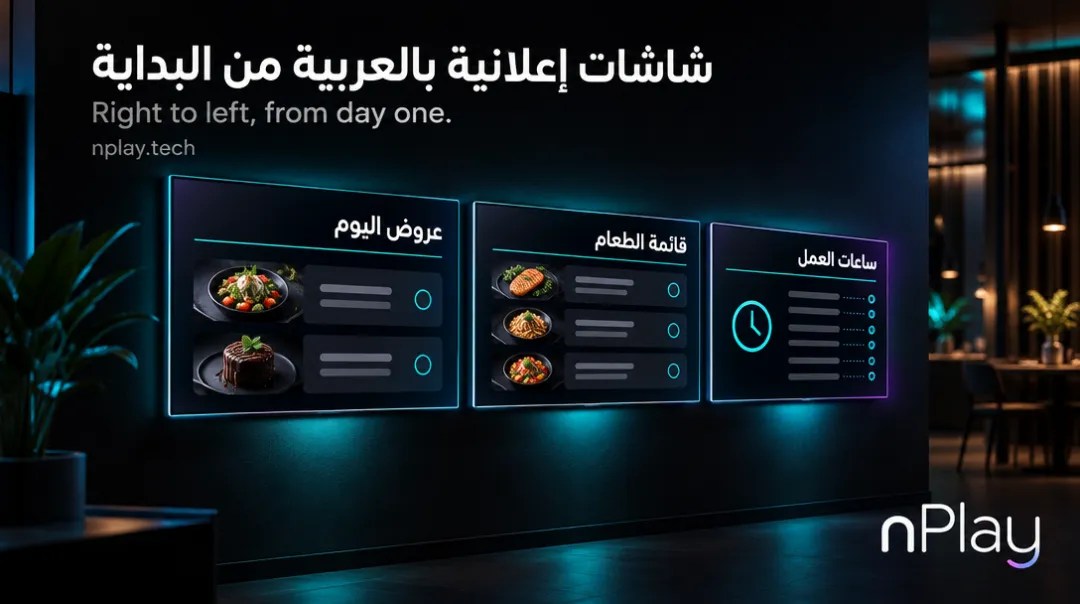
    Arabic digital signage by Nplay
    Arabic digital signage by Nplay
    Digital signage for a calmer waiting room by Nplay
    Digital signage for a calmer waiting room by Nplay
    Digital signage menu boards by Nplay
    Digital signage menu boards by Nplay

    In short, bilingual digital signage works best when it starts from a clear goal. Nplay plans bilingual digital signage around your audience, your space and your budget. If you are comparing options for bilingual digital signage, ask for a live demo before you decide. We are happy to answer any question about bilingual digital signage.

    bilingual digital signage: Arabic advertising screens by Nplay
    Arabic advertising screens by Nplay
  • 32 branches, one dashboard: the ROI of chain-wide digital signage

    Retail digital signage jordan: a practical guide from Nplay. This article covers what matters about retail digital signage jordan, from the first idea to delivery.

    Before investing in retail digital signage, Jordan’s store managers should know what it can and cannot measure. A national hypermarket chain in Jordan runs its in-store screens, its staff training displays and its in-store radio across 32 branches from one cloud dashboard on Nplay Beam. That deployment is the most useful thing we can show a retail chain weighing digital signage, because it answers the question every finance director asks: where, exactly, does the return come from? This post walks through the deployment and the four places the return shows up.

    What 32 branches actually looks like

    The chain asked for the platform to support 32 branches across Jordan, and it went in as 32 set-top boxes — one per branch — connected to every screen the chain specified, with 10 GB of shared media storage in the cloud. Our technicians also connected the switches and amplifiers of each store’s sound system to the players, so that audio is controlled from the same dashboard as the screens.

    The chain uses the system for two purposes, and that is the first lesson. Externally, it advertises products and offers to shoppers on the sales-floor screens. Internally, it uses the same platform to train employees and to make internal announcements on staff-area displays. And through the audio integration, it broadcasts a music radio channel to the store sound systems, with the ability to interrupt it with announcements or promotions.

    Three functions — marketing, HR communication and in-store radio — that a chain would ordinarily buy as three systems from three vendors, on one set of hardware with one subscription per device. The case study has the detail; the rest of this post is about why this shape produces a return and how to measure it.

    It is worth saying that this is retail digital signage in Jordan at national scale, on a platform we also run for a four-display medical hub in Amman and ten displays at a national memorial. Scale changes the ROI arithmetic, not the software.

    Four places the money comes back

    Digital signage vendors like to quote uplift percentages. We prefer to name the mechanisms, because a chain can check each against its own accounts.

    Replaced print and logistics. Every promotion that used to be a printed poster, a shelf talker and a courier run to 32 branches becomes a file uploaded once. The saving is the chain’s own print, distribution and in-store labour cost per campaign, multiplied by campaigns per year. Finance already has that number.

    Speed of change. A price correction, a stock-out or a competitor’s move used to take days to reach every branch. On the platform it is scheduled or pushed instantly to all 32, or to one region, or to one store. The value is the margin protected during the days that used to be lost, and the campaigns that can now be run because they are no longer too short to print for.

    Training and announcements on the same screens. Staff-area displays carrying training modules and announcements replace printed circulars and briefings that depend on a manager remembering. The cost avoided is training-delivery time and the inconsistency between branches.

    In-store radio without a separate system. The music layer, with promotions and announcements inserted, runs on the same players through the wired amplifiers. A chain that was paying for a separate radio or music service, or running it from a laptop in the back office, folds it into the signage subscription.

    None of these needs a footfall study to prove. They are line items the chain already pays, moved to a smaller line.

    The features that matter at chain scale

    A single-store screen needs a player and a playlist. A chain needs a platform, and the features that produce the return are the unglamorous ones.

    Centralised management. One dashboard controls users, access, devices, media storage, performance metrics and transactions across all branches. Marketing, HR and store operations each get the access they need and no more.

    Scheduling and campaigns. Instant multi-screen publishing, media galleries, playlists per screen or per group, customisable campaigns and automated scheduling — the morning offer, the evening switch, the weekend promotion — set once and run everywhere.

    Group control. Play, pause, mute or unmute one screen or a group from anywhere; manage a region or a store format as a unit.

    Offline content and auto-update. Each player holds its content locally, so a branch with a bad connection keeps playing, and picks up updates when the link returns. For a chain, uptime is the ROI multiplier.

    Live monitor. See which screens are on and what they are showing, without phoning the branch.

    Flexible content. HD video, images, audio, web links, satellite channels, widgets, HDMI feeds, 3D models and interactive systems such as wayfinding; overlays let a promotion sit on top of a live feed.

    Security. Hosted on a major cloud object store with server TLS, firewall and password policies, player lock-down and storage encryption — the questions a chain’s IT department asks first. Our retail chains use case maps these to store formats.

    Deployments

    Nplay Beam deployments and proposals in Jordan, by the numbers

    Client (generic)SectorPlayers / displaysStorageUses
    National hypermarket chainRetail32 branches · 32 set-top boxes · all requested screens10 GBOffers to shoppers · staff training · internal announcements · in-store radio via wired amplifiers
    Integrated healthcare hub, AmmanHealthcare4 distributed displays5 GBNew services, partner providers and offers to patients
    National military memorial and museumCulture · Tourism10 displays incl. projection and hologram screens5 GBHistorical content, welcome figure, floor projection
    Regional hypermarket chain (proposal, 2025)Retail25 Android set-top boxes, 4K, separate audio out, Wi-Fi100 GB per deviceChain-wide signage and audio · one-year cloud subscription per device

    How to measure the ROI honestly

    We will not give you an uplift percentage, because we would be guessing about your stores. Here is what we suggest a chain measures instead, before and after.

    Cost per campaign. Print, distribution and in-store set-up cost for a promotion across all branches, versus the time to upload and schedule it. Track campaigns per year as well — the number usually rises once campaigns are cheap.

    Time to change. Hours from a decision to every branch showing it. This is the metric that store operations care about most.

    Screens live per day. From the live monitor: the share of screens actually showing scheduled content. A signage network that is 70 per cent on is 30 per cent wasted; the platform tells you which branch and why.

    Training delivered. Modules shown, branches reached, versus the previous method’s cost in manager time.

    Audio. Cost of the separate music or radio service retired, and promotions inserted into the audio stream.

    Where a chain wants sales-uplift measurement, the platform’s scheduling makes a clean A/B possible: run an offer on screens in half the branches for a fortnight and compare tills. That is a test a chain runs itself, on its own data, and it is worth more than any figure a vendor can print.

    From order to 32 screens in weeks

    Chain deployments move faster than most chains expect, because the hardware is small and the configuration is central.

    A branch player is an Android set-top box with 4K output, a separate mini-jack audio output for the sound system, and Wi-Fi or Ethernet. Where a store wants a video wall, a single player and controller drive a 2×2 or 3×3 wall or a portrait strip of up to seven screens. Each device carries an annual cloud subscription with its own media storage allowance — the 2025 proposal for a regional chain specified 100 GB per device.

    Delivery in our proposals is two to four weeks from confirmation, with half paid upfront and half on delivery. Our technicians install the players, connect the screens, and wire switches and amplifiers so audio is on the dashboard. Head-office users are trained on the platform; branch staff need nothing. Support and maintenance for the first year are included.

    For chains in Saudi Arabia the model is the same: cloud digital signage with players shipped to each branch and the dashboard in head office, whether that is Riyadh or Amman. Our post on café and restaurant signage shows the same platform at the other end of the scale.

    Thirty-two branches, one dashboard. The return is not in the screens; it is in everything the chain stops doing by hand.

    FAQ

    Retail digital signage Jordan: frequently asked questions

    How many screens can one player drive?

    One set-top box per branch drives the connected screens; for video walls a single player and controller handle a 2×2 or 3×3 grid, or a portrait wall of up to seven screens, with content per screen or as one canvas.

    What happens when a branch loses internet?

    Each player stores its content locally and keeps playing the schedule offline, then picks up updates automatically when the connection returns.

    Can the same system run staff training and in-store radio?

    Yes. The hypermarket chain uses staff-area screens for training and announcements, and its store sound systems are wired to the players so a radio channel with inserted promotions runs from the same dashboard.

    How long does a chain-wide rollout take?

    Players and subscriptions ship in two to four weeks from confirmation; our technicians install and wire audio at each branch. First-year support and maintenance are included.

    Further reading: Digital signage (Wikipedia)

    Quick questions about retail digital signage jordan

    Who is retail digital signage jordan for? Companies and institutions that want a clearer, faster experience for their customers and visitors.

    How long does retail digital signage jordan take? It depends on the size of the project and the content needed. We confirm the timeline after a short discovery call.

    How do I start with retail digital signage jordan? Contact the Nplay team in Amman or Riyadh and we will suggest a clear first step.

    Does retail digital signage jordan work in Arabic and English? Yes. We prepare the content in both languages from day one.
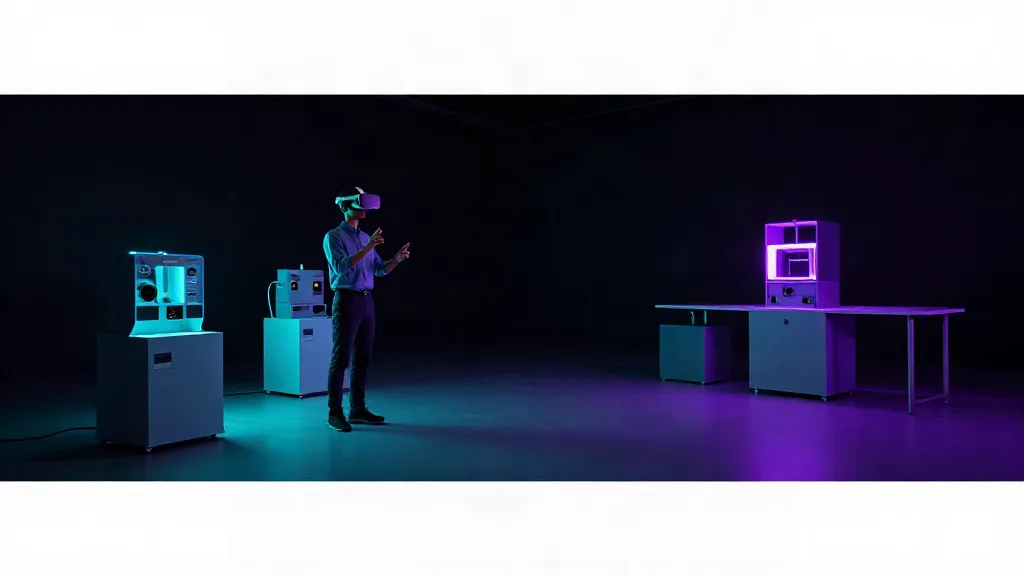
    Arabic digital signage by Nplay
    Arabic digital signage by Nplay
    Digital signage for a calmer waiting room by Nplay
    Digital signage for a calmer waiting room by Nplay
    Digital signage menu boards by Nplay
    Digital signage menu boards by Nplay

    In short, retail digital signage jordan works best when it starts from a clear goal. Nplay plans retail digital signage jordan around your audience, your space and your budget. If you are comparing options for retail digital signage jordan, ask for a live demo before you decide. We are happy to answer any question about retail digital signage jordan.

    retail digital signage jordan: Arabic advertising screens by Nplay
    Arabic advertising screens by Nplay
  • The digital-twin campus: what a university actually gets

    The digital-twin campus: what a university actually gets

    Digital twin campus: a practical guide from Nplay. This article covers what matters about digital twin campus, from the first idea to delivery.

    In 2022 a Jordanian university signed to build a complete digital-twin campus inside an Arabic-language metaverse platform, with students and teachers present as avatars and learning supported by VR, AR and AI — at the time among the first universities in the world to be present in the metaverse. Our team built it. This post strips away the word “metaverse” and describes what a university actually receives when it commissions a digital twin campus, and what it does with it afterwards.

    The digital-twin campus: what a university actually gets

    Be present, not just online

    The university did not come to us in 2022 asking for a metaverse. It came out of the remote-teaching years with a specific complaint: video conferencing had kept lectures running, but it had not kept the university together. There was no corridor to bump into a classmate in, no lab bench, no exhibition hall, no sense of being somewhere with other people.

    What it wanted was its own campus, recognisable to its students, where a lecture, a lab session and a chance conversation could all happen, and where a student abroad was present rather than a rectangle on a grid. It also wanted this in Arabic, on a platform the university could own its presence in rather than rent from a games company.

    That is a digital twin campus: the real buildings modelled in 3D to scale, an avatar for every student and teacher, and learning tools built into the environment. When the agreement was signed, the university was described as among the first in the world to be present in the metaverse. Our team built the platform and the campus, and the case study records how.

    We work as a digital twin company in Jordan across facilities, showrooms and campuses, and the university project remains the clearest example of what the technology is for: not novelty, but presence.

    What “digital twin” means when the asset is a campus

    In industry a digital twin is a live 3D model of a plant connected to its sensors. For a campus the definition is the same in spirit and different in emphasis. The buildings, halls, classrooms, library and grounds are surveyed and recreated in 3D so that orientation inside the twin matches orientation on the real campus: if the engineering block is left of the main gate in reality, it is left of the main gate in the twin.

    Accuracy matters more than decoration. New students use the twin to learn the campus before they arrive. Visitors find a lecture theatre in the twin and then find it in the building. The facilities team can, later, connect the same model to maintenance data, as we do in digital twin services for building operators.

    The second half of the twin is people. Every student and teacher has a customisable avatar tied to their university identity, with role-based access: a teacher opens a classroom, a student enters it, a guest lecturer is admitted for one session. Presence is multiplayer and live, so a corridor with twelve avatars in it is a corridor with twelve people in it.

    The third half — there are three — is the learning layer: VR for labs and simulations, AR for examining objects, AI for guidance and answers, built into the rooms rather than bolted on as separate applications. We built ours on an Arabic-language platform so that the interface, the assistant and the content were native, not translated.

    Inside the twin

    Campus function, what it becomes, what it replaces

    Campus functionIn the digital twinWhat it replaces or adds to
    LectureTeacher and students as avatars in a hall that mirrors the real one; slides, video and 3D models on the wallVideo call with cameras off
    LaboratoryVR lab bench with equipment and experiments that can be repeated safelyLimited lab hours and consumables
    Object studyAR and 3D models examined at any scale — an engine, an organ, an artefactPhotographs in a textbook
    Office hours and seminarsSmall rooms booked by teachers; students drop in as they would in the buildingEmail threads and scheduling links
    OrientationNew and prospective students explore the campus before enrolmentPrinted map and a one-day tour
    Graduation, fairs, exhibitionsVirtual ceremonies and exhibitions with booths and an auditoriumPhysical-only events limited by the hall
    Student guidanceAI assistant answering course, schedule and location questions in Arabic and EnglishFront-desk queues
    FacilitiesSame model reused for maintenance, space planning and wayfindingSeparate drawings held by estates

    What changes on a Tuesday morning

    The test of a metaverse university is an ordinary teaching day. A student in another city logs into the campus from a browser, walks from the gate to the lecture hall and takes a seat as their avatar. The teacher, also an avatar, runs the lecture with slides and a 3D model of the day’s subject that students can rotate from their seats. After the lecture, three students stay behind to ask a question; two others meet in the corridor and go to the library together.

    In the afternoon a lab session runs in VR: the same room, now with a bench, equipment and an experiment that can be repeated without consumables or risk. A teacher holds office hours in a small room; a guidance assistant answers a first-year student’s question about where a course is held, in Arabic.

    None of this is dramatic. That is the point. The digital twin campus succeeds when it is boring in the way a real campus is boring — reliable, navigable, populated. For distance and international students it is the difference between attending and watching; for teachers it restores the informal contact that video calls removed; for the university it means the campus is open when the buildings are not.

    Where a course needs deeper hands-on practice, the training layer is where Nplay Scholar, our 3D interactive training platform in development, plugs in: the lab bench holds a model the student can take apart.

    Recruitment, events and a record of use

    Teaching is the reason to build a twin; administration is where it earns its keep in year two.

    Recruitment. A prospective student in another country tours the real campus, at scale, from home. International offices use the twin at fairs abroad, on a laptop or on a Halo Box at the stand, where a hologram guide walks the visitor through the faculties.

    Events. Graduations, career fairs and exhibitions run in the twin’s auditorium and halls, with booths for employers and a stage for speakers. Where an institution wants a full virtual exhibition with booking, ticketing and analytics, Nplay Nexus, our virtual exhibition platform in development, is the natural extension of the campus.

    Data. The platform records which rooms are used, when, by how many, and which questions students ask the assistant. For an institution that has always estimated space utilisation, this is a new instrument.

    Ownership. The twin belongs to the university. Its brand, its buildings, its content and its user identities sit on a platform it controls, in its language. Universities in Saudi Arabia planning a metaverse university presence are asking us the same question the Jordanian university asked in 2022: how do we own this rather than rent it? The answer is a twin built for you.

    Survey, model, connect, hand over

    We deliver a campus twin in four steps, the same methodology we use for digital twins of facilities and showrooms.

    Survey. Drawings, photographs and site visits across the campus; a decision on which buildings are modelled to full interior detail and which as exteriors. Model. The studio recreates the campus in 3D, to scale and recognisable, with the interiors that matter for teaching. Connect. Avatars, identity, role-based access, classrooms, the VR lab layer, the AR object layer and the AI assistant are configured and tested with a pilot faculty. Hand over. Staff are trained, content tools are handed to the university, and the campus opens to students.

    The digital twin campus university project in Jordan showed us that the hardest part is not the modelling but the decisions: which faculties first, which lab experiments, who administers avatars. We now front-load those in a scoping workshop before any modelling starts.

    If your university is weighing a campus twin — in Jordan, Saudi Arabia or elsewhere in the region — bring us the campus map and the list of things video calls could not do. That list is the specification.

    FAQ

    Digital twin campus: frequently asked questions

    Do students need VR headsets to use the campus?

    No. The campus runs in a web browser with avatars; VR is used for specific lab sessions and simulations where a headset adds value, and AR for examining objects on a phone or tablet.

    Is the platform available in Arabic?

    Yes. The 2022 campus was built on an Arabic-language metaverse platform, with the interface, assistant and content native in Arabic alongside English.

    How is a campus twin different from a virtual tour?

    A tour is a picture you look at. A twin is a place you are in, with other people, where classes, labs and events happen — and the same model can later serve facilities management.

    Who owns the digital twin campus?

    The university. Buildings, content, branding and user identities sit on a platform the institution controls; we build it, train the staff and hand it over.

    Further reading: Digital Twin Consortium

    Quick questions about digital twin campus

    Who is digital twin campus for? Companies and institutions that want a clearer, faster experience for their customers and visitors.

    How long does digital twin campus take? It depends on the size of the project and the content needed. We confirm the timeline after a short discovery call.

    How do I start with digital twin campus? Contact the Nplay team in Amman or Riyadh and we will suggest a clear first step.

    Does digital twin campus work in Arabic and English? Yes. We prepare the content in both languages from day one.

    3D virtual tours for properties and showrooms by Nplay
    3D virtual tours for properties and showrooms by Nplay
    3D city model digital twin by Nplay
    3D city model digital twin by Nplay
  • Digital twins for large developments in Saudi Arabia: from design model to daily operations

    Digital twins for large developments in Saudi Arabia: from design model to daily operations

    A digital twin for large developments, Saudi Arabia’s giga-scale projects included, helps teams sell and plan before construction ends. When a development spans districts, phases and dozens of contractors, the building model is only the beginning. The harder question arrives later: who runs all of it, and how do they see what is happening? That question is behind most searches for digital twins for very large developments in Saudi Arabia. We set out what a twin is, how it connects the design model to the operations team, what facilities managers actually do with it, and how to begin without committing to the whole site. It is a generic guide; we name no projects.

    Digital twins for large developments in Saudi Arabia: from design model to daily operations

    What a digital twin is, and what it is not

    A digital twin is a 3D model of a real place or asset that is linked to information about it. The model shows where things are. The link tells you what they are, how they are doing and what has been done to them. Take away the link and you have a visualisation. Take away the model and you have a spreadsheet.

    The idea is simple to state and demanding to keep alive. A twin of a district is useful only while the information behind it is current, so the first design question is not how it looks but who updates it and from what source.

    We build twins for facilities, showrooms and campuses, and the approach described here is the same across them. Our digital twin services page lists the delivery, and a university campus twin built in Jordan shows it applied to a whole site.

    Why giga-scale developments change the brief

    A single building has a caretaker who knows where the valves are. A district has no such person. Several things about very large developments make a shared 3D picture close to essential.

    Many hands. Design teams, contractors and suppliers each hold part of the picture. A twin gives them a common one.

    Phasing. Areas open while others are still being built. The twin shows what is live, what is in progress and what is planned.

    Long life. The buildings will be operated for decades, long after the people who designed them have moved on. The information has to outlive them.

    Distance. An engineer in one part of the site needs to look at a problem in another, and an expert elsewhere needs to help. A shared model and live video shrink those distances.

    These are the reasons that digital twins for very large developments in Saudi Arabia commission keep appearing in briefs. They are also why the first conversation should be about operations rather than graphics.

    Layers

    From design model to working twin

    LayerWhat it holdsWho uses itA question it answers
    3D modelBuildings, floors, rooms and equipment, to scalePlanners, designers, operationsWhere is this, and what is next to it?
    InformationAsset records, documents, maintenance history, operating guidelinesFacilities and maintenance teamsWhat is this, and when was it last serviced?
    Live dataEquipment status from building management systemsControl room, techniciansWhat is running, and what has failed?
    ExperienceBrowser views, VR rehearsal, AR overlays on siteEveryone from managers to traineesCan I see this without travelling there?
    DecisionsScenario tests for evacuation, space changes and energy measuresManagers, safety officersWhat happens if we change this?
    Facilities

    What facilities teams do with a twin

    These are the everyday uses behind digital twin facilities management Saudi Arabia operators ask about.

    Virtual walkthroughs

    Inspect an area, spot issues and plan maintenance without being on site.

    Information on the asset

    AR can overlay status, maintenance history and operating guidelines on the equipment in front of the technician.

    Remote assistance

    An expert guides an on-site technician through a complex task, which can reduce downtime and travel.

    Training and safety

    Rehearse emergencies and review safety procedures and evacuation plans before they are needed.

    Scenario simulation

    Test evacuations, space changes and energy-saving measures in the model first.

    Integrated systems

    Connect the twin to building management systems so one view shows monitoring and control.

    VR, AR and mixed reality are ways of seeing the twin

    People often treat VR, AR and mixed reality as separate projects. For facilities they are different windows on one twin. A headset suits rehearsal and review: walking an unfinished wing, practising an evacuation, briefing a client. A phone or tablet suits the site, where an AR overlay shows an asset’s data. Mixed reality suits remote help, with an expert sharing the technician’s view. A browser suits everyone else, including the manager who will never wear a headset.

    Our article on VR, AR and mixed reality for facilities management goes through the options. For the regional picture and the first overview we wrote, see digital twins and Saudi giga projects.

    One point worth making early: the immersive view is only as good as the twin behind it. Invest in the model and the data first, and the headsets can follow.

    How to start without committing to the whole site

    Nobody should model a district in one go. The sensible route is to choose one building or one zone where a real operational pain exists, and to prove the workflow there.

    First, define the questions. Which three or four questions do operations staff ask most often and answer slowest? Those become the twin’s first requirements. Second, survey what exists: drawings, models, asset registers and the systems that hold status data. Third, decide who owns each layer. Fourth, build the model to the level of detail the questions need, connect the information, and test with the people who will use it daily. Finally, extend to the next zone with the lessons learned.

    We front-load these decisions in a scoping workshop before modelling begins, because the difficult part is seldom the modelling. It is agreeing what the twin is for. If you are weighing one for a development or a facility in Saudi Arabia or Jordan, bring us the list of things your team cannot see today. That list is the specification. Our digital twin product page gives the detail.

    FAQ

    Digital twin for large developments Saudi Arabia: frequently asked questions

    What is the difference between a BIM model and a digital twin?

    A BIM model describes the design and construction. A digital twin keeps the model connected to operating information, such as asset records, maintenance history and status, so it stays useful after handover.

    Do we need VR headsets to use a digital twin?

    No. A twin can be used in a browser. Headsets help for rehearsal and review, and phones or tablets help on site for AR overlays.

    Can you work on a site of that scale?

    We recommend starting with one building or zone, proving the workflow and extending from there. The same method applies whatever the final size.

    Who owns the twin once it is built?

    The client. We build it, train the staff and hand it over, so that the asset owner controls the model, the information and the access.

    Further reading: Digital Twin Consortium

    3D virtual tours for properties and showrooms by Nplay
    3D virtual tours for properties and showrooms by Nplay
    3D city model digital twin by Nplay
    3D city model digital twin by Nplay
  • Digital twin GCC: from single developments to smart cities

    Digital twin GCC: from single developments to smart cities

    Digital twins for GCC cities: a practical guide from Nplay. This article covers what matters about digital twins for GCC cities, from the first idea to delivery.

    Digital twins for GCC cities connect maps, buildings and data in one explorable model. Across the Gulf, cities and developments are being planned, sold, built and operated at the same time, often by different organisations. A shared 3D picture that stays connected to real information is the obvious tool, and it is why digital twin UAE and digital twin Qatar searches keep rising. This post looks at the twin at three scales, the layers it is made of, who should own the data, and how a first project starts. For a detailed treatment of very large Saudi developments, we wrote a separate guide; this one is wider and more practical.

    Digital twin GCC: from single developments to smart cities

    One idea, three very different buyers

    A digital twin GCC buyer might be any of three people, and they need different things from the same technology.

    The building. A facility manager wants to see where assets are, what state they are in and what has been done to them. The twin is a navigable 3D model of the building connected to asset registers and, where available, the building management system.

    The development or campus. A master developer or university has many buildings, many contractors and a long life. The twin is a shared picture for sales, planning and operations: which areas are live, in progress or planned, and who is responsible for each.

    The city or district. An authority or operator wants a planning and coordination layer across many owners. This is the hardest scale, because the value depends on data agreements between organisations more than on the model.

    Most of the regional appetite we see is for the first two. They have a clear owner, a clear question and a manageable scope. The third scale usually begins as a number of the first two that someone later wants to join up, which is a good reason to choose open, well-documented data structures from the start.

    Scales

    What each scale needs, and where Nplay stands

    ScaleTypical buyerThe first questionNplay position
    BuildingFacility operator, hotel, hospitalWhere is it, what state is it in, who fixed it?Twin and VR, AR, MR for facilities: offered
    Development or campusDeveloper, university, campus operatorHow do we sell, plan and run all of it?Campus twin delivered in Jordan in 2022; showroom twins offered
    City or districtAuthority, master operatorHow do many owners share one picture?Not delivered; we would scope and advise, not claim

    Why the Gulf is asking

    National visions across the region put digital transformation, tourism and knowledge industries on the agenda, from UAE Centennial 2071 and the Dubai metaverse strategy to Qatar National Vision 2030, Kuwait Vision 2035, Bahrain Economic Vision 2030, Oman Vision 2040 and Saudi Vision 2030. We do not interpret them for clients. We note that organisations building districts, campuses and towers within such programmes need a way to see and manage many things at once, in two languages, for owners who will change over decades.

    That is also why the twin is an operations question before it is a graphics question. A model that looks impressive on day one and is out of date by month six has failed. We have written about the same point for Saudi developments, and it holds everywhere: the first design question is who updates the twin and from what source.

    The four layers of a working twin

    1. Geometry. Surveyed or BIM-based 3D models at the level of detail the questions need. BIM integration is the natural route for new buildings; older ones may need survey.
    2. Information. Asset registers, drawings, maintenance history and status data from building systems, linked to the objects in the model.
    3. People. Roles, permissions and, where useful, avatars. A contractor opens one zone; an operator opens another; a guest sees only the showroom.
    4. Applications. The views people actually use: a sales showroom, an operations dashboard, a planning review, a visitor guide.

    Each layer has an owner. Write the owners down before any modelling begins.

    Data ownership comes before the model

    The questions that delay Gulf twin projects are seldom technical. Where will the data be hosted? Who may see which layer? Which systems does it touch, and which does it never touch? Who owns the model and the content when the contract ends? Organisations also care about data sovereignty, and we treat it as a design requirement rather than a footnote.

    For a digital twin UAE developers commission, or a digital twin Qatar operators plan, our advice is to settle these in a scoping workshop before modelling. Give the client the model, the content and the user identities. Use role-based access. Keep the twin’s connections to live systems read-only until the team has trust in the workflow. And name, in writing, who is responsible for keeping each layer current, because a twin does not update itself.

    How to read a smart-city twin proposal

    Smart-city language invites exaggeration, and a buyer should test every proposal with three questions. What is live? Ask which data feeds are connected today and which are planned; a rendered city with no feeds is a visualisation. What is modelled, and to what detail? A district model with block massing is useful for planning and useless for maintenance. Who keeps it current? A twin without an owner decays.

    A fourth question matters in the Gulf: what happens at the boundaries between owners? Developers, operators and authorities each hold part of the data, and agreements between them often take longer than the modelling. We would rather say at the start that a city-scale programme is an agreements problem first, and start with the smallest scope that one organisation can own. If you are comparing vendors, ask each to show one twin that is live and in daily use, and to explain who maintains it.

    The cost of keeping a twin alive

    The modelling is a project; the twin is a service. After handover, someone updates drawings, records changes, onboards users and fixes broken links to data sources. Budget for that from the beginning. For a single building this may be a part-time responsibility inside the facilities team. For a development it becomes a small team with a named lead.

    We train the client’s staff and hand over the content tools so the client is not dependent on us for every change. Where a client prefers ongoing support, we can provide it remotely. Either way, the twin should be reviewed on a schedule, because the test of a good twin is whether operators reach for it on an ordinary Tuesday. Ask them what they opened last week. If the answer is nothing, fix the twin or retire it, rather than paying to keep an impressive model nobody uses.

    One model, a sales life and an operations life

    A twin earns its cost twice if it is planned that way. Before construction, the same model can become a virtual showroom for buyers, investors and tenants, who walk the development before it exists. During construction, it becomes a planning and coordination view. After handover it becomes the facility model. Our digital twin product page describes the delivery, and the university campus case shows a whole site modelled as a twin with students and teachers present as avatars.

    The immersive views are windows on the same twin. A headset suits rehearsal and review, a phone or tablet suits the site with an augmented overlay, and a browser suits everyone else. Our article on VR, AR and mixed reality for facilities goes through them.

    How a UAE or Qatar twin project starts, remotely

    A digital twin UAE client and a digital twin Qatar client start the same way. We serve the GCC from Amman and Riyadh and have no office, client or installed twin in the UAE, Qatar, Kuwait, Bahrain or Oman. A project starts with a video workshop to agree the questions the twin must answer. The client shares drawings, models and photographs, and our studio builds one building or one zone first. Connections to building systems are made by the client’s own integrator to an interface we agree. We review with the people who will use it daily, and then extend to the next zone.

    That gives a result in one area before anyone commits to the whole site, which is how a digital twin GCC programme should start. Our digital twin services page lists the delivery, and country detail sits on our UAE and Qatar pages.

    FAQ

    Digital twins for GCC cities: frequently asked questions

    Has Nplay built a city-scale digital twin?

    No. Our delivered twin is a university campus in Jordan. We offer twins for buildings, showrooms and campuses, and we would scope a larger programme openly rather than claim experience we have not got.

    Do you have an office or projects in the UAE or Qatar?

    No. We have offices in Amman and Riyadh and serve the Gulf remotely, with system integration and installation arranged by the client or a local integrator.

    Does a twin need sensors?

    Not at the start. The first version can link a model to asset registers and drawings. Live data from building systems can be added later through an agreed interface.

    Who owns the twin?

    The client should. We give the model, content and user identities to the client, and agree in writing who keeps each layer current.

    Further reading: Digital Twin Consortium

    Quick questions about digital twins for GCC cities

    Who is digital twins for GCC cities for? Companies and institutions that want a clearer, faster experience for their customers and visitors.

    How long does digital twins for GCC cities take? It depends on the size of the project and the content needed. We confirm the timeline after a short discovery call.

    How do I start with digital twins for GCC cities? Contact the Nplay team in Amman or Riyadh and we will suggest a clear first step.

    Does digital twins for GCC cities work in Arabic and English? Yes. We prepare the content in both languages from day one.

    3D virtual tours for properties and showrooms by Nplay
    3D virtual tours for properties and showrooms by Nplay
    3D city model digital twin by Nplay
    3D city model digital twin by Nplay

    In short, digital twins for GCC cities works best when it starts from a clear goal. Nplay plans digital twins for GCC cities around your audience, your space and your budget. If you are comparing options for digital twins for GCC cities, ask for a live demo before you decide. We are happy to answer any question about digital twins for GCC cities.

    digital twins for GCC cities: Two ways to show a space: virtual tours by Nplay
    Two ways to show a space: virtual tours by Nplay