Cafe digital signage and restaurant video wallsAvailable in Jordan & Saudi Arabia
Your screens should sell the special, set the mood and never show a blank input menu. Nplay Beam turns café and restaurant screens into one channel you control from a phone or laptop: music, video, digital menu boards, promotions, satellite TV and match nights — with a prayer-time mode built in.
One TV, one USB stick, one tired playlist
Most cafés run a television on a satellite channel and a speaker on a streaming app. The two never match. The menu is printed, the offer of the week is a piece of paper on the counter, and when the match starts someone hunts for the remote. Restaurants with several screens have it worse: each screen needs its own device and its own person to update it.
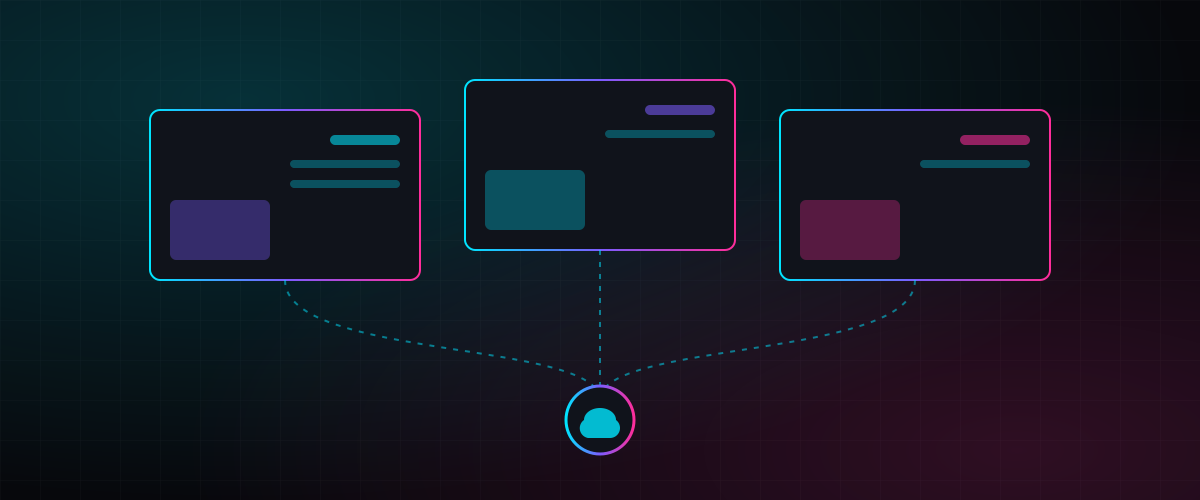
Cafe digital signage on Nplay Beam replaces that with a single player per venue (or per video wall) and one cloud dashboard. Music, video, menus and promotions live in the same playlist, and the system decides what plays when.
For cafe digital signage Jordan operators and restaurant digital signage Saudi Arabia groups alike, the same cloud dashboard can drive one menu screen or a restaurant video wall. Start with one site, then add screens and branches as you grow. See Nplay Beam for the platform.
What your screens can do
Everything below is standard in the café and restaurant packages.
Your own café channel
Turn the screens into a private audio-visual channel: upload music playlists, show photos and videos while the music keeps playing, and share your brand story and offers without stopping the sound.
Smart playlists
Mix music and videos in one playlist. When a video with sound plays, the music layer stops automatically and resumes when it ends.
Streamed video playlists with overlays
Play playlists from an online video platform directly and layer your own elements on top: photos, a promotional corner, scrolling text.
Screen layout control
Split a screen into zones — a video, a digital menu board, today's offers — and match the layout to your branding.
Layers on top of any video
A pop-up promotion in a corner, a text bar with updates or a static image over whatever is playing, including satellite channels and HDMI feeds.
Campaign scheduling
A set morning list, an automatic switch to the evening playlist, promotions at fixed times. Set once, runs every day.
Satellite and HDMI control
Receive satellite TV channels or plug in an external source such as a sports decoder, manage them from the cloud and keep your overlays on top during the match.
Prayer-time mode
Optional Adhan mode pauses music and videos automatically at prayer times, then resumes — a respectful, welcoming atmosphere without anyone touching a remote.
Three ways to start
| Package | Screens | Player | Best for |
|---|---|---|---|
| Café channel | 1 or more screens, controlled together or separately | Nplay Beam media player per screen or group | Cafés, bakeries, dessert bars — music plus visuals from one dashboard |
| 4-screen experience (2×2) | 4 screens, portrait or landscape | One Nplay Beam device with 2×2 video-wall control | Restaurants — different content per screen, or one synced restaurant video wall; built-in music layer like an in-house radio |
| 7-screen portrait wall (7×1) | Up to 7 vertical screens, 7560 × 1920 canvas | One hub, one subscription | Menu walls, food halls, flagship restaurants — unique content per screen or one unified canvas with synchronised playlists |
What a scheduled venue looks like
Opening
The morning music list starts on its own; screens show breakfast menu boards with a coffee promotion in the corner.
Lunch
The layout switches to the lunch menu. A video about today's special plays; the music pauses for the video and resumes after.
Prayer times
Prayer-time mode pauses music and video, then brings them back automatically.
Evening
The evening playlist takes over. On match nights the HDMI feed from the sports decoder fills the main screen with your offers in a text bar underneath.
Any time
From your phone: push an unscheduled offer to every screen, mute one area, or check that all players are online.
What venues run on their screens
- Digital menu boards in Jordan and Saudi Arabia — update prices and items without reprinting
- Promotions and limited offers pushed to every branch at once
- Ambiance — a curated music channel with matching visuals
- Brand storytelling — origin, sourcing, the team, the roast
- Sports nights — satellite or HDMI feed with your overlays on top
- Multi-branch chains — one dashboard, per-branch playlists, grouped control
Cafe digital signage: frequently asked questions
What hardware do I need for cafe digital signage?
Your existing screens plus one Nplay Beam media player per screen or group. For a restaurant video wall, one Android player with a 2×2 controller drives four screens and a 3×3 controller drives up to nine; the portrait-wall package drives up to seven vertical screens from one hub. Players support Wi-Fi and a separate audio output to your speakers.
Can I run a digital menu board and music from the same system?
Yes. The layout splits a screen into zones — menu, video, promotion — while the music layer plays underneath. Prices and items are edited in the dashboard and update on the screens immediately.
Does prayer-time mode work automatically?
Yes. It is an optional mode that pauses music and video at prayer times for your location and resumes afterwards. You can switch it on or off per venue.
What happens if the internet drops?
Content is stored on the player, so scheduled playlists keep running offline. Changes you make in the dashboard sync when the connection returns.
Do you install and support it?
Yes. Our technicians install players and connect audio, and proposals include first-year support and maintenance. Typical delivery is two to four weeks from confirmation.
Keep exploring
Services
Guides and articles
Make your café smarter
Tell us how many screens you have and where they hang. We will recommend a package and show your menu running on it.