The TV nobody is watching and the playlist nobody chose
Walk into ten cafés in Amman or Riyadh and you will see the same setup in eight of them. A television on the wall, muted, showing whatever channel the morning shift found. A speaker, connected to somebody's phone, playing a streaming playlist that changes character every time the shift changes. Somewhere near the till, a printed A4 sheet with this week's offer, slightly curled.
None of this is wrong, exactly. It is just three separate things that nobody is running. The screen belongs to a broadcaster, the music belongs to a streaming service and the offer belongs to a printer. The café — the brand that people actually came for — is nowhere on any of them.
Now consider the audience. A café customer sits in front of that screen for forty minutes on average, sometimes two hours. They are relaxed, they are looking around, and they are about to decide whether to order a second drink and a dessert. There are very few advertising environments in the world with a captive, comfortable audience of that duration. Most cafés use it to show the weather in another country.
The point of cafe digital signage — the real point, not the “put a menu on a screen” version — is to take that screen and that speaker back, and run them as one channel that belongs to you.
Your own café channel: music, video and offers on one timeline
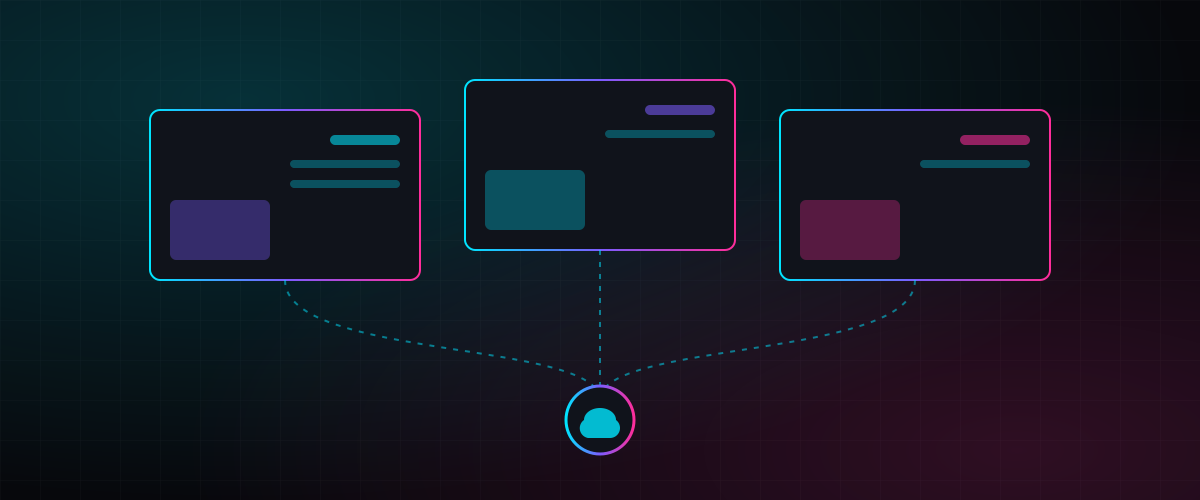
With Nplay Beam the café's screens become a private audio-visual channel. You upload your own music playlists, your photos and videos, your promotions and your brand story, and the platform plays them together on one timeline. The music keeps playing while photos and videos show on the screen; the screen shows your offers without stopping the music. The café sounds and looks like itself from opening to closing.
Smart playlists are what make the two layers coexist. You mix music tracks and video clips in a single playlist. When a video with its own sound plays — a short film about your roastery, say — the system automatically pauses the music layer, and when the video ends the music resumes without a gap. Screens and speakers stop competing.
Streamed playlists with overlays cover the cafés that want a video-platform playlist or a live satellite channel on the screen. Beam plays the stream and lets you add your own layer on top: a promotional corner, a scrolling text bar, a photo. The sports match is on for the customers who want it; your Ramadan offer is in the corner for everyone.
External HDMI input does the same for anything plugged in locally — a match on a receiver, a presentation at a private event — with your overlays and messages on top, managed from the cloud rather than by finding the remote.
Split the screen, layer the message
A single screen can do more than one job if the layout is designed for it. Beam's screen layout control divides the display into sections so several content types run at once: a video in the main area, a rotating set of product images down one side, a text bar with today's offers along the bottom. Layouts are customised to the café's branding — fonts, colours, logo position — so the screen looks like a designed channel rather than a slideshow.
Layers work on top of any of this. A promotional pop-up in a corner during the afternoon lull. A text bar announcing that the kitchen closes in fifteen minutes. A static image of the loyalty card while the music plays. Each layer has its own schedule, so the offer that makes sense at 4 p.m. does not appear at 8 a.m.
For most cafés we recommend starting simple: one full-screen video-and-image playlist with the music layer, and one text bar for offers. Add sections once you have seen how customers react. A screen that is too busy is worse than a muted TV, because at least the TV is calm.
Schedule the day once — including prayer time
The feature café owners value most is the one they stop noticing: the day runs itself. Campaign scheduling lets you set a morning music list that starts at opening, an automatic switch to a livelier evening playlist, and promotions that appear at set times — breakfast until eleven, the afternoon dessert offer, the late-night shisha menu where it applies. Set it once and the screens follow the schedule every day until you change it.
Prayer-time mode is the feature that customers in Jordan and Saudi Arabia notice immediately. When enabled, Beam pauses music and video automatically at each prayer time and resumes afterwards. No staff member has to remember, no customer has to ask, and the café signals respect for its customers' traditions without a word. It is optional, and for the cafés that use it, it is the reason they chose the system.
Group screen management means the owner of three branches, or the manager of a café with a terrace and an indoor room, controls each area separately or all together. Play, pause, mute or unmute any screen or every screen from anywhere — including from a phone in the car. A national hypermarket chain runs Beam across 32 branches in Jordan with the same dashboard; the café version is the same platform at a smaller scale, which is why we describe it as digital signage software for Jordan and Saudi Arabia that fits a single shop as well as a chain.
From one screen to a seven-screen restaurant wall
| Setup | Screens | What one Beam device does |
|---|---|---|
| Single café screen | 1 | Music layer + video/image playlist + text bar; streamed or HDMI content with overlays; prayer-time mode |
| Multi-area café | 2–4 separate screens | Different content per area (counter menu, seating, terrace), controlled as a group or individually |
| Restaurant 2×2 video wall | 4, portrait or landscape | One synchronised canvas or four independent playlists; instant switch to full-wall content; built-in music layer like an in-house radio station |
| Restaurant 7×1 portrait wall | 7 vertical screens, 7560×1920 | Unified canvas or seven menus; fully synchronised playlists with music overlay; one device, one subscription |
| Larger walls | Up to 9 (3×3) | Videowall controller option; player variants handle up to seven Full HD videos simultaneously or a single 8K stream |
Restaurant video walls: menus, ambience and one device
Restaurants have a different problem from cafés. They need menus that change between breakfast, lunch and dinner, they need promotions that do not look like a supermarket, and they increasingly want a wall of screens that sets the mood of the room. A restaurant video wall built the old way needs a media player per screen, a technician to synchronise them and a manager who knows where the USB sticks are.
Beam's multi-screen layout replaces that with one device. The 2×2 experience puts four screens in a grid, portrait or landscape, driven by a single Beam player. Each screen can show its own content — four menu categories, say — or all four combine into one synchronised video wall for a film about the kitchen. Playlists per screen switch instantly to full-wall content when you want the whole room to look at one thing, and the built-in music layer runs underneath like an in-house radio station.
The 7×1 portrait wall manages up to seven vertical screens from one hub, at a combined resolution of 7560×1920. Use it as one long canvas above the counter or as seven independent menu panels, with fully synchronised playlists and music overlay. One device, one subscription, total control — that is the whole pitch, and it is why restaurant owners who were quoted a separate player and installer per screen tend to call us back.
Behind both sits the same cloud dashboard as the café package, so a group with two cafés and a restaurant runs all three from one login. Our cafés and restaurants page has the layouts in detail.
What it takes: a player, a subscription and an afternoon
The installation is deliberately unglamorous. Each screen or wall gets a Beam player — a small Android-based set-top box or, for walls, the multi-output player or videowall controller. Our technicians connect it to the screen and, where the café wants the music through its own speakers, to the amplifier, so the sound system is controlled from the same dashboard. The player is paired to your cloud account, your first playlist is loaded, and the schedule is set. Most single-café setups are done in an afternoon.
Content plays from the player's local storage, so a dropped internet connection does not black out the screen; when the connection returns, the player picks up any updates automatically. The dashboard shows every screen live, so you know from your phone whether the terrace display is on before a customer tells you.
Beam is the same platform we deploy in retail chains, a clinic hub in Amman and a national memorial museum, which means the café package benefits from features built for much larger clients — security, device management, campaign reporting — at café scale. See the hypermarket case study for the large end and the clinic hub for a four-screen deployment closer to a café's size.
If your screen is currently showing the weather in another country, that is the afternoon to reclaim it.
Cafe digital signage: frequently asked questions
Can we keep showing a sports channel and still run our own content?
Yes. Beam plays satellite channels or an external HDMI feed on the screen and lets you add your own overlays — a promotional corner, a scrolling offer bar, a static image — on top, all scheduled from the cloud dashboard.
How does prayer-time mode work?
When enabled, the system automatically pauses music and video at each prayer time and resumes afterwards. It is optional and configured per location, so a chain can set it differently in different cities.
Do we need a player for every screen in a video wall?
No. A single Beam device drives a 2×2 wall (four screens) or a 7×1 portrait wall (seven screens) as one canvas or as independent playlists, with synchronised playback and a music layer. Larger walls use a videowall controller.
Is Nplay Beam available for cafés in both Jordan and Saudi Arabia?
Yes. Beam is deployed across Jordan, including a 32-branch hypermarket chain, and is offered as cloud digital signage in Saudi Arabia with installation by our technicians in both markets.