Nplay Beam — cloud digital signage softwareDeployed in Jordan
Nplay Beam turns any screen into a managed digital display. Upload video, images, menus, music and live feeds once, schedule them from a browser, and push them to one screen or hundreds across Jordan and Saudi Arabia — with offline playback, group control and audio integration built in. It is the same platform that runs inside the Nplay Halo Box.
Screens that fall out of date are worse than no screens
Most digital signage fails quietly. A promotion runs three weeks after it ended, a menu shows last season's prices, and the branch manager has a USB stick somewhere. Rigid platforms make updating many screens slow, so nobody does it.
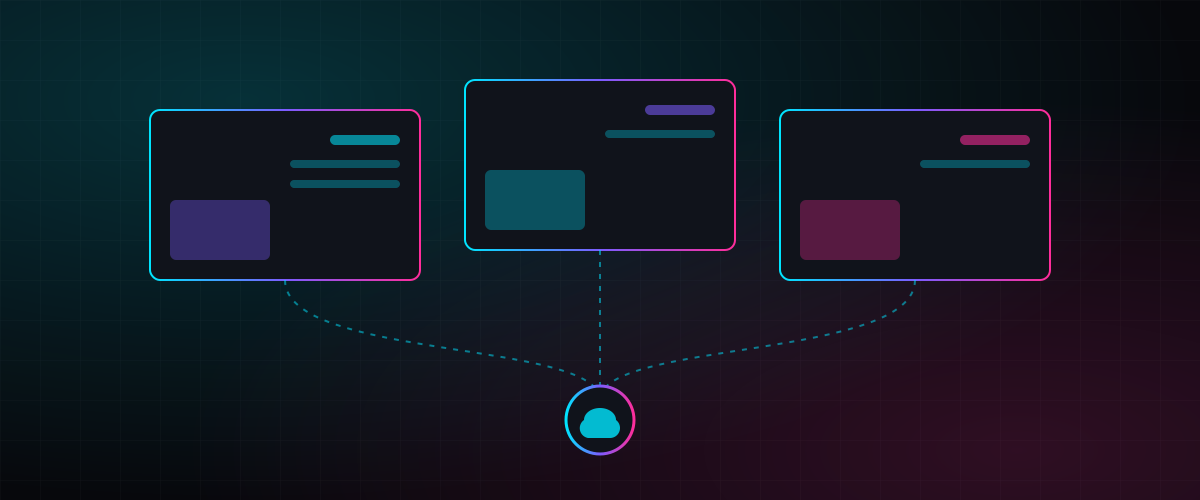
Nplay Beam is cloud digital signage software built to remove that friction. Every screen is connected to one dashboard. You change a playlist in Amman or Riyadh and the screens in every branch update in real time — or on the schedule you set. If the internet drops, the player keeps showing the last synced content until it reconnects.
Beam is the digital signage software Jordan's largest hypermarket chain chose for 32 branches, and the cloud digital signage Saudi Arabia venues can run from Riyadh on the same dashboard. It is a delivered product, not a concept. It is running today across a 32-branch national hypermarket chain in Jordan, a national military memorial museum, and an integrated healthcare hub in Amman. Read the hypermarket case and the clinic case.
Where it fits with other Nplay products
Beam is the content layer for most of what Nplay installs. The Nplay Halo Box uses Beam as its cloud CMS, so a hologram cabinet and a menu board can sit on the same schedule. In the Nplay Halo Ads network, Beam sells and rotates advertising spots across screens in malls, airports and metro stations. Projection and hologram installations from our projection mapping service run from Beam players too, which is how a memorial's ten displays are updated from one dashboard. If you want Nplay Slate e-paper badges and signage alongside your screens, both are managed from the cloud.
Buyers comparing digital signage software Saudi Arabia offers with imported tools usually ask about Arabic content, scheduling across many screens and local support. Nplay Beam manages every screen from one cloud dashboard, and our team works from Amman and Riyadh.
All in one place
A centralised dashboard controls users, devices, media storage, playlists and campaigns for every screen you own.
Centralised management
One view of users, access levels, devices, media storage, performance metrics and transactions. Add a screen, assign it to a group, and it inherits that group's content.
Scheduling & campaigns
Instant multi-screen publishing, media galleries, versatile playlists and automated schedules. Set a morning list, an evening list and a promotion at 6 pm — once.
Live mirroring & instant push
Push unscheduled content right now — an announcement, a price change, a live stream — and watch what each screen is showing from the LIVE monitor.
Flexible content
HD video, images, audio, web links, satellite channels, widgets, HDMI feeds, 3D models and interactive systems such as wayfinding. Overlay text bars, corner promotions and logos on top of anything.
Device management
Monitor uptime, lock down players, encrypt local storage and update content automatically. Group screens by branch, floor or department and control them together.
Audio & in-store radio
Beam plays a music layer under visuals like an in-house radio station, and our technicians can wire branch amplifiers to the player so the sound system is controlled from the same dashboard.
Choose the player for the job
| Player | What it does | Typical use |
|---|---|---|
| Beam set-top box | Android player · 4K output · separate mini-jack audio out · Wi-Fi | Single screens in shops, clinics, receptions and branches |
| Beam 8K player | Up to 4 Full HD videos at once, or a single 8K video at 60 fps | Multi-zone layouts and small video walls |
| Beam 8K player · 7-stream | Up to 7 Full HD videos simultaneously | 7×1 portrait walls (7560 × 1920) in restaurants and lobbies |
| 2×2 video wall controller | Drives 4 screens as one canvas or 4 independent zones | Restaurant menu walls, showroom feature walls |
| 3×3 video wall controller | Drives up to 9 screens | Large hall and mall installations |
| Android TV / Apple TV | Beam app on existing smart TVs | Cafés and offices reusing screens already on the wall |
Café digital signage and restaurant video walls
Your own café channel
Turn café screens into a private audio-visual channel. Play your uploaded music playlists; show photos, videos and promotions while the music keeps playing. Smart playlists stop the music layer when a video plays and resume afterwards. Stream video-platform playlists with overlays, receive satellite channels, take an external HDMI feed for match nights, and add promotional banners on top of any of them. An optional prayer-time mode pauses music and video automatically during the Adhan.
Multi-screen menus and video walls
The 4-screen experience: install four screens in portrait or landscape, drive them from one Beam device, and run different content on each or sync them into one restaurant video wall. Switch every screen to full-screen content instantly for a launch or a special. The 7-screen setup manages up to seven vertical screens as one hub — unique content per screen or a single unified canvas — with synchronised playlists and a music overlay. One device, one subscription, total control.
Beam in the field
Where Nplay Beam is used
- Retail chains and hypermarkets — offers on the shop floor, staff training and announcements in the back office, in-store radio through the same player
- Cafés — cafe digital signage with music, video and promotions on one channel and a prayer-time mode
- Restaurants — menu boards, a restaurant video wall behind the counter and ambience content in the dining room
- Healthcare clinics and hospitals — services, partner providers, waiting-room information
- Museums and heritage sites — historical films, informative LED signage and projection content on a schedule
- Corporate offices and hotels — internal communications, lobby screens, meeting-room signage
- Mass gatherings and transport hubs — live alerts, crowd information and multilingual wayfinding (see our smart visitor use case)
From order to live screens in two to four weeks
Site survey & screen plan
We list the screens, the content zones and the audio points per location, and decide which player suits each screen.
Players & accounts
Players are pre-configured and shipped with a one-year cloud subscription and a storage allowance per device. Your team gets dashboard accounts with the right roles.
Installation & audio integration
Nplay technicians mount players, connect switches and amplifiers where the sound system is in scope, and pair every screen to its group.
Training & first campaign
We load your first playlists and schedules with you, then hand over. Support and maintenance are included for the first year.
Further reading: W3C guidance on right-to-left text (external source).
Cloud digital signage software: frequently asked questions
Can I use the screens I already have?
Yes. Beam runs on Android TV and Apple TV apps, or through a Beam set-top box connected to any HDMI screen. For video walls we supply the 2×2, 3×3 or 7×1 controllers.
What happens if the internet goes down in a branch?
The player keeps showing the last synced playlist from local storage and reconnects automatically. Content is auto-updated as soon as the link is back.
How is the platform secured?
Media is hosted on a major cloud object store behind server TLS, firewall and password policies. Players are locked down and local storage is encrypted, so a stolen box does not expose your content.
Can Beam control the music in my café or shop?
Yes. Beam has a music layer that plays under images and pauses for videos, and our technicians can connect your amplifiers to the player so play, pause, mute and volume are controlled from the dashboard. A prayer-time mode is optional.
How is Nplay Beam priced?
Players are sold per unit and the cloud software is an annual subscription per device with a storage allowance, optionally bundled into café, 2×2 or 7×1 packages. First-year support is included. Ask us for a quotation for your screen count.
Keep exploring
Services
Use cases
Guides and articles
Put your screens on one dashboard
Tell us how many screens you run and where. We will propose players, packages and a rollout plan for Jordan or Saudi Arabia within a week.