
Category: English

  • AI 3D model generation for education: why the review gate matters more than the generator

    AI 3D model generation for education: why the review gate matters more than the generator

    Ai 3d model generation for: a practical guide from Nplay. This article covers what matters about ai 3d model generation for, from the first idea to delivery.

    Typing a sentence and getting a 3D model back in under a minute is no longer the hard part of ai 3d model generation for education. The hard part is deciding whether that model is fit to put in front of students. AI Studio, a screen in the MIHWAR prototype, is built around that decision: you describe what you need to teach, a draft comes back, and then an academic decides.

    AI 3D model generation for education: why the review gate matters more than the generator

    A draft in a minute is easy. Teaching from it is a decision.

    Anyone can now describe an object in words and get something that looks like it. But a model that looks plausible is not a model that is correct. A turbofan with its compressor stages in the wrong order teaches the wrong thing, and does it confidently.

    That is why we treat ai 3d model generation for education as two separate problems. The first is generation: turning a brief into geometry. The second is acceptance: deciding that the geometry is accurate, lawfully usable and appropriate for a named course. Generation is a technical capability that any team can buy and that will keep improving. Acceptance is institutional, and no generator can do it for you.

    AI Studio, a screen in the MIHWAR prototype (محور in Arabic), is designed on that basis. MIHWAR is the 3D and XR teaching platform a university owns, built by Nplay for Interactive Solutions in Amman and prepared for a Jordanian university.

    The flow

    Four steps from a sentence to a library asset

    1. Describe what you need to teach

      Type the teaching need in plain words, for example a sectioned high-bypass turbofan for an aviation science module. You are describing a learning purpose, not a mesh.

    2. Receive a draft in under a minute

      A draft model comes back. It is a draft, not a library asset: it still has to be judged fit for students.

    3. Declare the licence and the owner

      Every model, scene and 360° capture in the library carries a declared licence and a named owner, and a draft is no exception.

    4. An academic decides

      The draft goes to the review queue. An academic in the owning college decides whether it is fit for students. Only approved work is published into the library the whole university teaches from.

    What is real in the prototype, and what stands in for it

    We want to be exact here, because a prototype that overstates itself is worse than none. In the prototype the geometry is synthesised in the browser from the words you type, and the same brief always gives the same mesh. That is a stand-in for a call to a generation provider, so the route can be shown with no API key and no network connection.

    What is real is everything around the generator: the review gate, the licence declaration and the flow that carries a draft from a sentence to a decision. The status line on the screen reads “generation live, review gate live, provider calls specified”, and we mean the last three words literally. The provider integration is specified, not built.

    Real provider integration is planned for Phase 2, months 7 to 12 of an engagement, as AI-assisted generation inside the platform behind the review gate. AI-assisted scenario drafting that a lecturer approves sits in the same phase. In both, the order is fixed: the machine drafts, a person approves.

    Two more limits apply. The prototype’s 3D models are indicative rather than teaching-grade, and four stages of the ingest pipeline are represented rather than executed.

    Guardrails

    Four guardrails the review gate exists to enforce

    These are the checks we ask a reviewer to make: a recommended practice, not an automated test.

    GuardrailWhat can go wrongWhat the reviewer checks
    AccuracyA plausible model with wrong parts, wrong order or wrong proportionsWhether the geometry supports the stated learning outcomes, checked against the course material by someone who teaches it.
    LicenceMaterial of unclear origin enters the library and cannot be defended laterThat a licence is declared and an owner named before publication, so the asset can be explained years from now.
    BiasExamples that default to one body, one setting or one cultural contextWhether people, settings and scenarios reflect the range of learners and situations the course serves.
    Sign-offA draft treated as approved because nobody was namedThat a named academic in the owning college approves it, and that the decision is recorded against the asset.

    Why the person matters more than the model

    A generator produces a draft. A university produces a decision. In MIHWAR that decision belongs to an academic in the college that will teach from the asset, the person best placed to notice that a bypass duct is the wrong shape or that a scenario skips a step. It is the same gate that student-built models pass through, as we describe in our post on student-built 3D content.

    AI-assisted generation is one of four production routes: student coursework, campus capture, AI-assisted generation and commissioned modelling. All four go through the same academic review gate, so AI does not become the quiet way round quality control. A model made in a minute and a model commissioned over weeks are judged by one question: is this fit for students in this module?

    That is also why we measure the library by coverage, not by count. The planning target is about 660 assets, described as enough to cover every practical module in eleven colleges. What matters is how many are mapped to the university’s own course modules, carry a defensible licence and were checked by an academic in the owning college. For the ownership argument behind this, read why a university-owned library differs from a per-seat subscription.

    The licence declaration is the quiet half of the gate

    Accuracy gets the attention because errors are visible. Licence problems stay invisible until someone asks where an asset came from. A university building its own library has to answer that for every item, whether it came from a student, a campus capture, a commissioned studio or a generator. In ai 3d model generation for education, the licence record is what lets a draft join the library without a question mark over it.

    That is why every model, scene and 360° capture in MIHWAR carries a declared licence and a named owner, and why assets are stored as glTF in the university’s own storage, readable and exportable. Terms differ between generation providers, so we would read them with the university’s legal office before any provider is connected in Phase 2. The prototype cannot settle that, and we would rather say so.

    Open AI Studio and judge the gate yourself

    The MIHWAR prototype runs in a browser with no install. It has a guided tutorial of 22 stops, about six minutes, across three roles: student, instructor and university. Open AI Studio, type a brief and look at the draft. Type the same brief again and you get the same mesh, which is the stand-in doing its job. Then send the draft to the review queue.

    For the wider case for interactive 3D, start with 3D interactive learning versus textbooks. For a model a draft will not give you, our 3D content studio is the commissioned-modelling route, through the same review. Questions go to info@nplay.tech, Nplay for Interactive Solutions, Amman, Jordan.

    FAQ

    AI 3D model generation for education: frequently asked questions

    Does AI Studio use a generation provider today?

    Not yet. In the prototype the geometry is synthesised in the browser from the words typed, as a stand-in for a provider call, so the route can be shown with no API key. Provider integration is specified and planned for Phase 2.

    Can an AI-generated model go straight to students?

    No. By design every draft goes through the academic review gate, with a declared licence and a named owner, before it enters the library students teach from.

    Is ai 3d model generation for education accurate enough to teach from?

    A draft is a starting point. Accuracy is a judgement a reviewer makes against the learning outcomes, which is why the gate exists. The models in the prototype are indicative rather than teaching-grade.

    Is MIHWAR running at a university?

    No. It is a working prototype built by Nplay and prepared for a Jordanian university. We claim no deployment, users or results.

    Further reading: NIST AI Risk Management Framework

    Quick questions about ai 3d model generation for

    Who is ai 3d model generation for for? Companies and institutions that want a clearer, faster experience for their customers and visitors.

    How long does ai 3d model generation for take? It depends on the size of the project and the content needed. We confirm the timeline after a short discovery call.

    How do I start with ai 3d model generation for? Contact the Nplay team in Amman or Riyadh and we will suggest a clear first step.

    Does ai 3d model generation for work in Arabic and English? Yes. We prepare the content in both languages from day one.
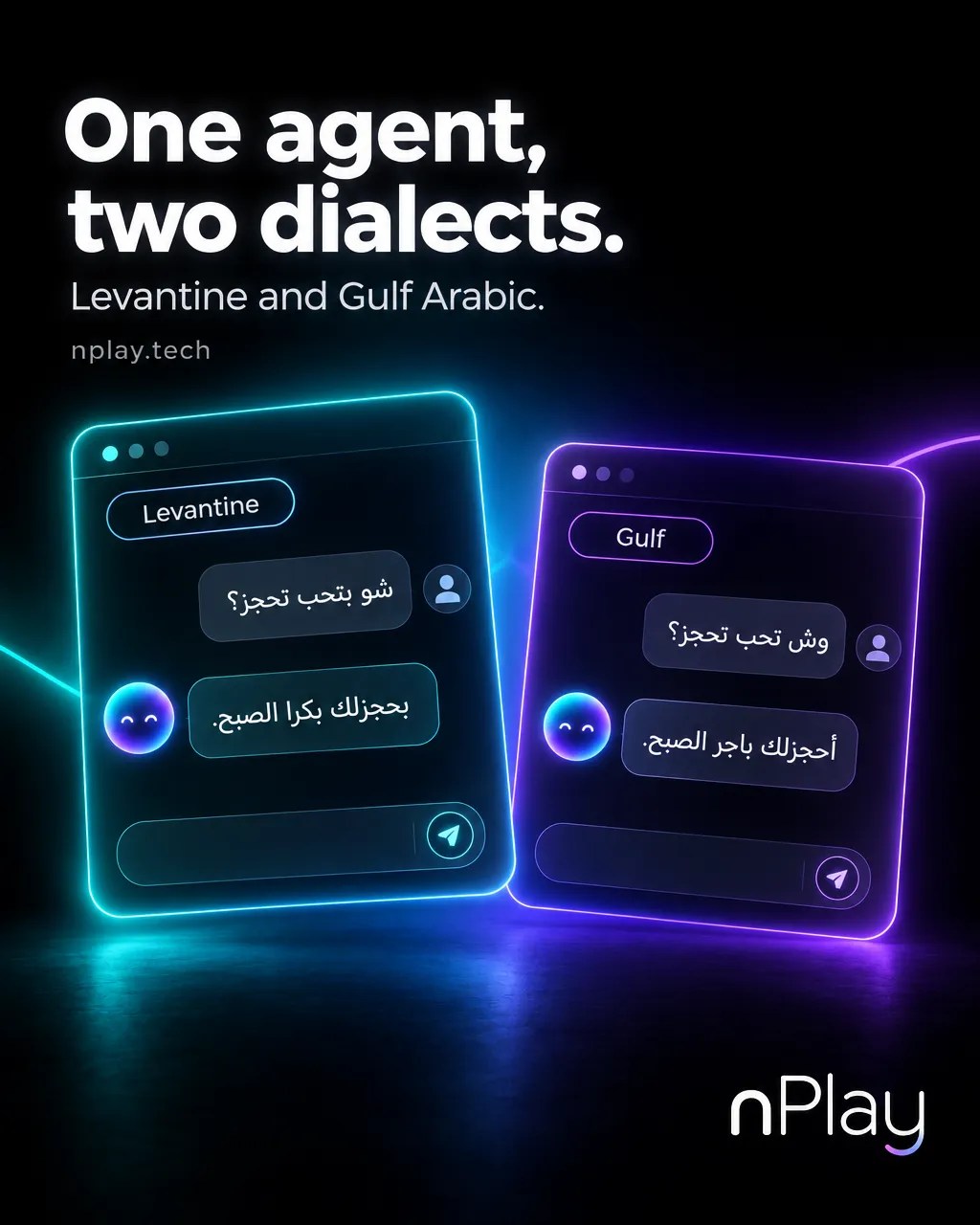
    One AI agent that answers in two dialects, by Nplay
    One AI agent that answers in two dialects, by Nplay
    AI agents for customer service by Nplay
    AI agents for customer service by Nplay
  • Pick your seat by standing in it: 3D venue booking

    Pick your seat by standing in it: 3D venue booking

    3D seat selection: a practical guide from Nplay. This article covers what matters about 3D seat selection, from the first idea to delivery.

    Every ticketing site shows you a grid of coloured squares and asks you to trust it. Nplay FrontRow, our 3D venue and seat booking platform now in development, replaces the grid with the venue itself: walk in, stand at the seat, look at the stage, then book. This post explains why we think 3D seat selection for event booking is worth building, how it works for attendees and organisers, and what an event professional in Amman or Riyadh should expect from it.

    Pick your seat by standing in it: 3D venue booking

    Event planning should not be a guessing game

    Think about the last time you bought a ticket for a concert, a conference or a match. You were shown a floor plan drawn from above, with a colour for each price band and a grey square for every seat already taken. You picked a square. You hoped.

    The organisers on the other side had the same problem in reverse. They knew the hall, but their attendees did not. Every enquiry about pillars, screens, aisles and distance to the stage became an email or a phone call. Every sponsor wanted to know exactly where their booth would sit relative to the entrance and the coffee.

    Our product brief for Nplay FrontRow lists the four failures plainly: limited visualisation, unclear seat choices, uncertain sightlines and a disconnected experience between looking at a venue and paying for a place in it. None of these is a technology gap any more. We build digital twins of buildings for facilities managers and virtual venues for exhibitions; a theatre or a stadium is a smaller, better-documented building than most.

    So the question we asked was simple. If we can model the venue in 3D, why are we still selling seats from a grid? 3D seat selection for event booking is our answer, and FrontRow is the platform we are building to deliver it.

    Explore, select, book — from inside the venue

    The attendee flow has three steps, and the order matters.

    Explore. The attendee opens the event page in a browser and walks through the venue in full 3D. No headset is required; the venue runs in the browser the way a modern game runs on the web. They can go to the stalls, up to the balcony, into the exhibition hall, and see the space at eye level rather than from a helicopter.

    Select. Standing at a seat, they see what the seat sees: the stage, the screen, the pitch, the nearest exit. Availability and price update in real time, so the view they are checking is a view they can actually buy. For a conference, the same logic applies to tables and booths; for a wedding or a gala dinner it applies to place settings.

    Book. Checkout happens in the same environment. Registration, secure payment and instant confirmation are part of the platform, not a redirect to a separate ticketing site. The confirmation can include an e-badge, which is where our Nplay Slate reusable badges connect.

    The principle is that the person never leaves the venue between deciding and paying. Every hand-off between systems is a place where buyers drop out; 3D seat selection for event booking removes the hand-offs as well as the guesswork.

    Upload the venue, draw the layout, go live

    None of this works if setting up an event takes a 3D studio and a month. The organiser side of FrontRow is designed around three steps.

    Upload your venue. Start from what you already have: architectural blueprints, an existing 3D model, or a survey we carry out. Venues that host events repeatedly are modelled once and reused for every event.

    Customise the layout. Define seating blocks, price bands, booths, stages and networking zones on an interactive floor plan. A theatre layout, a banquet layout and an exhibition layout can live in the same hall as separate configurations.

    Go live. Publish the event. Attendees explore and book directly in the 3D environment; the organiser watches sales, seat-by-seat, from an administration dashboard.

    Behind those steps sit the systems any serious event booking platform needs: a content management system, a secure payment gateway, e-badge integration, a mapping system, a registration system and the admin dashboard. The data layer records how attendees behave inside the venue — where they walk, which seats they compare, where they hesitate — which is information a two-dimensional seat map has never been able to give an organiser.

    Reported results

    What the product profile reports so far

    25%Faster checkouts with attendee seat selectionNplay FrontRow product profile — pilot figures, no client named
    30%Higher engagement with virtual venue toursNplay FrontRow product profile — pilot figures, no client named
    40%Higher satisfaction with event customisationNplay FrontRow product profile — pilot figures, no client named

    Stadiums, theatres, hotels, universities — anywhere with seats and a plan

    We designed FrontRow for event professionals rather than for one venue type, and the list of intended users is broad: event planning agencies, sports stadiums, arenas and theatres, hotels and convention centres, cinemas, corporate event teams, educational institutions and restaurants.

    The common factor is a venue that people pay to sit in and a plan that changes from event to event. A stadium sells the same seats every fortnight but reconfigures for a concert. A hotel ballroom is a conference on Tuesday and a wedding on Thursday. A university hall hosts a graduation, then a career fair with booths. In each case the organiser wants attendees to see the layout that applies to their event, not a generic map.

    In Jordan and Saudi Arabia the timing is good. Event volumes are rising, ticketed cultural and sporting events are multiplying, and buyers are used to browser-based 3D from property and retail. An event booking platform that shows the venue rather than a grid is a smaller change for the audience than it is for the organiser.

    Where FrontRow meets our other work is the venue itself. A stadium twin built for fan experience or an exhibition hall built for Nplay Nexus, our virtual exhibition platform in development, is already most of the way to being a bookable 3D venue.

    Two ways for a venue to run it

    Our institutional sales model offers two arrangements. We describe the structure here without figures, because the figures depend on venue size and requirements.

    Model one: free with revenue share. The venue or institution receives a customised version of the platform at no upfront cost. It is linked to their future events and marketed to organisers who use the venue. We develop and operate the system; each event pays an agreed fee for using it, and the profit is split equally. The venue gains an additional income line and a reputation as an innovative event partner without a capital decision.

    Model two: owned, with a development fee and annual subscription. The institution pays a one-time development fee scaled to the system, then a fixed annual subscription covering maintenance, support and updates. It owns the customised platform, sets its own prices to organisers and keeps all the revenue.

    The first model suits a venue that wants to test demand; the second suits an operator with a full calendar that wants 3D booking as part of its standard offer. Our guide to budgeting for immersive technology puts both in the context of how we price the rest of our products.

    What is built, what is next

    FrontRow is in development. The 3D venue engine comes from Nplay Core, the immersive engine and low-code platform behind our other products, which means venue models, avatars and browser rendering are shared with Nexus and our digital-twin work rather than built from scratch. The registration, payment and dashboard components are the same ones we use in our business portals.

    What we are looking for now is a small number of venue partners in Jordan and Saudi Arabia who want to run a pilot: one venue, modelled once, used for two or three events of different types. We will measure the three things the product profile reports on — checkout speed, engagement with the tour and satisfaction with the customised layout — and publish what we find.

    If you run a venue or an event portfolio and you are tired of explaining sightlines by email, we would like to talk.

    FAQ

    3D seat selection: frequently asked questions

    Does 3D seat selection need a VR headset?

    No. The venue runs in a normal web browser on a laptop or phone. VR is an option for showrooms and demos, not a requirement for booking.

    What do we need to provide to get our venue modelled?

    Architectural drawings or an existing 3D model are enough to start. If neither exists, our team surveys the venue and models it; it is then reused for every future event.

    Is FrontRow available today?

    It is in development. We are inviting venues and event organisers in Jordan and Saudi Arabia to pilot it on real events, under either the revenue-share or the owned model.

    Can it handle booths and tables, not just seats?

    Yes. The layout editor defines seating, booths, stages and networking zones, so exhibitions, gala dinners and conferences use the same platform as theatres and stadiums.

    Further reading: Extended reality (Wikipedia)

    Quick questions about 3D seat selection

    Who is 3D seat selection for? Companies and institutions that want a clearer, faster experience for their customers and visitors.

    How long does 3D seat selection take? It depends on the size of the project and the content needed. We confirm the timeline after a short discovery call.

    How do I start with 3D seat selection? Contact the Nplay team in Amman or Riyadh and we will suggest a clear first step.

    Does 3D seat selection work in Arabic and English? Yes. We prepare the content in both languages from day one.

    3D virtual tours for properties and showrooms by Nplay
    3D virtual tours for properties and showrooms by Nplay
    3D real estate model by Nplay
    3D real estate model by Nplay
    3D city model digital twin by Nplay
    3D city model digital twin by Nplay
  • AI agent ROI, guardrails and governance: how to keep agents useful and safe

    AI agent ROI, guardrails and governance: how to keep agents useful and safe

    Ai agent roi: a practical guide from Nplay. This article covers what matters about ai agent roi, from the first idea to delivery.

    An agent that saves time but sends a wrong quote, or one that is safe but unused, has failed either way. Real AI agent ROI means measuring change against a baseline taken before launch, and keeping the agent inside limits you wrote down. This guide covers measurement without invented numbers, guardrails, data handling, failure modes, ownership and a ten-point launch checklist, for businesses in Jordan and Saudi Arabia. It reflects how we run our AI agents projects.

    AI agent ROI, guardrails and governance: how to keep agents useful and safe

    Measuring value without inventing numbers

    Ask any supplier for typical AI agent ROI and you will get a percentage. Be wary. The true figure depends on what your process costs today, how often it fails and how much the agent can safely take, and none of that is known in advance.

    So the first task is a baseline. For the process you have chosen, record for a few weeks how many items arrive, how long each takes from request to completion, how often it needs rework, how often a customer chases, and who touches it. Keep the method repeatable, then run the agent beside the existing team and compare like with like.

    Value is not only time: fewer errors, faster first replies and work done outside office hours all count, but each needs its own measure. If you cannot measure it, leave it out of the business case. To choose where to begin, see AI agent use cases by department.

    Metrics

    A metrics table you can copy

    Choose three or four of these. Record the baseline before launch, then review on the same schedule.

    MetricHow to baseline itDirection you wantWatch-out
    Cycle timeTime from request to completion, sampled over a few weeksShorterFast but wrong is worse than slow
    First-response timeTime until the customer or employee gets a first useful replyShorterAn instant reply that does not help is not a reply
    Error and rework rateShare of items corrected or redone by a personLowerCount corrections caught late, not only early
    Hand-off rateShare of items the agent passes to a personStable or lower over timeToo low can mean it is answering what it should not
    Volume handled outside hoursItems received and resolved when the office is closedHigherCheck quality of these, which have least review
    Staff time on the taskHours logged by the team before and afterLower, redirected to other workDo not assume freed time is automatically used well
    Cost of running the agentPlatform, integration, review and maintenance timeKnown and trackedInclude time spent reviewing logs
    Guardrails

    Six guardrails that make an agent safe to run

    These are the controls you already apply to a new employee, written down for software.

    Scope

    A written job description

    State what the agent may do and may not do, which topics it covers and what it says when a question falls outside. An agent without a scope will try to help with everything.

    Permissions

    Least privilege access

    Give read access first. Add a write action only when it is needed, and limit it to the fields and records the task requires.

    Approvals

    A person signs off money, contracts and personal data

    Payments, refunds, price changes, contract terms and any change to personal records need a named approver. The agent prepares the action; a human releases it.

    Logging

    A record of every action

    Store what the agent was asked, what it looked up, what it answered and what it did. Without logs you cannot investigate a complaint or learn from a mistake.

    Test sets

    A fixed set of real cases

    Keep a set of realistic requests with the correct outcomes and rerun it after every change to instructions, knowledge or systems. It catches regressions before customers do.

    Fallback

    A safe way out

    When the agent is unsure, a system is down or the caller asks for a person, it hands over with a summary.

    Data handling and confidentiality, in plain language

    List what the agent will see: customer names, phone numbers, orders, invoices, employee records, contracts. Decide for each item whether it needs it at all. Data it never sees cannot leak from it.

    Three habits cover most of the ground. First, minimise: pass the agent only what the task needs, and mask or exclude sensitive fields such as identity numbers and bank details. Second, separate: customer data, staff data and commercial terms should not be reachable from every agent. Third, keep control: know where the data is stored, how long logs are kept, who can read them and how to delete them on request.

    Laws on data protection and on where data may be held differ between Jordan, Saudi Arabia and other markets, and they change. We design to the strictest applicable rules and let each market’s law decide the details, and we suggest you confirm your own obligations with a legal adviser.

    How agents fail, and how to spot it

    Agents rarely fail loudly. They fail in ways that look like normal work until someone checks:

    • Confident wrong answers. The agent states something untrue in fluent language. Spot it by sampling transcripts against the source documents each week.
    • Stale knowledge. A price list or policy changed and the knowledge base did not. Spot it by giving each document an owner and a review date.
    • Scope creep. The agent starts answering topics it was never meant to. Spot it by reading the topics in the logs, not only the counts.
    • Quiet drift. A system field is renamed or a form changes and the agent keeps working on the wrong data. Spot it by rerunning the test set after every system change.
    • Over-trust. Reviewers stop reading because the output usually looks right. Spot it by planting known test cases in the review queue.
    • Language gaps. Arabic dialect or mixed-language requests are handled worse than English. Spot it by splitting your metrics by language.

    Our comparison of agents, chatbots and automation explains why agents need more review than a fixed workflow does.

    Who owns an agent once it is live

    An agent with no owner is the commonest governance failure. We suggest three roles, which one person can hold in a small company.

    Business owner

    Owns the outcome and the scope. Decides what the agent may do, approves changes to its instructions and answers for the results.

    Technical owner

    Owns the connections, permissions, logs and the off switch. Keeps the integrations with your CRM, ERP or portal working and runs the test set after changes.

    Reviewer

    Reads a sample of conversations and actions every week, records errors and feeds corrections back to the knowledge base. This is the human in the loop, and it is a real job with real time set aside.

    Write down who may change the agent’s instructions and how a change is tested. Good AI agent governance is mostly this: named people and written rules. Review the arrangement monthly at first, then quarterly. The business guide to AI agents shows the full rollout.

    Launch checklist

    Ten checks before an agent goes live

    If you cannot tick all ten, extend the pilot rather than the launch date.

    • One process is chosen, with a named business owner
    • A baseline for time, errors and volume was measured before the agent started
    • The agent’s scope, in and out, is written in plain language
    • Access is read-only at first, and every write action is listed and approved
    • Money, contracts and personal data changes need human approval
    • Sensitive fields are excluded or masked, and log retention is decided
    • Every action is logged, and someone can read the logs
    • A test set of real cases passes, in Arabic and English where both apply
    • A hand-off path exists, with a summary, and a tested off switch
    • A reviewer has time booked every week for the first months
    FAQ

    AI agent ROI: frequently asked questions

    How do I calculate AI agent ROI?

    Measure the process before the agent: volume, cycle time, error rate and staff time. Run the agent alongside the team, measure again and subtract the running and review costs. Until you have that baseline, any ROI figure is a guess.

    What does human in the loop mean for an AI agent?

    A person reviews or approves the agent’s work at defined points. In practice that means approving money, contract and personal-data actions before they happen, and reading a sample of everything else afterwards.

    What are the main business risks of AI agents?

    Wrong answers stated with confidence, stale knowledge, exposure of confidential data, actions taken beyond scope and staff over-trusting the output. Scope, permissions, logs and review address each of them.

    Do small businesses need formal governance?

    They need the same controls in a lighter form: one written scope, limited access, approval for money, logs and a weekly look at what the agent did. One person can hold all three roles.

    Further reading: NIST AI Risk Management Framework

    Quick questions about ai agent roi

    Who is ai agent roi for? Companies and institutions that want a clearer, faster experience for their customers and visitors.

    How long does ai agent roi take? It depends on the size of the project and the content needed. We confirm the timeline after a short discovery call.

    How do I start with ai agent roi? Contact the Nplay team in Amman or Riyadh and we will suggest a clear first step.

    Does ai agent roi work in Arabic and English? Yes. We prepare the content in both languages from day one.

    One AI agent that answers in two dialects, by Nplay
    One AI agent that answers in two dialects, by Nplay
    AI agents for customer service by Nplay
    AI agents for customer service by Nplay
    AI agent handing a conversation to the team, by Nplay
    AI agent handing a conversation to the team, by Nplay
  • AI agents for business: what they are and how to start

    AI agents for business: what they are and how to start

    Ai agents for business: a practical guide from Nplay. This article covers what matters about ai agents for business, from the first idea to delivery.

    Most talk about AI agents for business either promises too much or explains too little. This guide does neither. We describe what an agent actually is, what it can and cannot do today, six processes that make sensible first projects and a simple way to choose yours, with notes for Jordan, Saudi Arabia and the wider Gulf. If you want the service first, see our AI agents service.

    AI agents for business: what they are and how to start

    What an AI agent is, in plain words

    A chatbot answers. An agent does. You give an agent a goal, such as “answer this customer’s question about their order and, if it is late, open a ticket”, and it works out the steps, looks things up, takes actions in your systems and reports back. When it reaches something it should not decide, it hands over to a person.

    That is the practical meaning of AI agents for business: software that completes a bounded piece of work, not software that chats about it. We build them as part of our AI agents service, in Amman and Riyadh, and we keep the definition deliberately narrow so the project stays honest.

    Every useful agent has the same four parts. If one is missing, the agent either does nothing useful or does something you did not intend.

    Anatomy

    The four parts of an agent

    1

    A goal

    One clear job written in plain language, with a definition of done. “Handle enquiries” is too vague. “Answer product and delivery questions and book a call when asked” is workable.

    2

    Tools

    The actions it may take: read an order, create a ticket, check a calendar, draft an email, update a CRM record. Each tool is a permission you grant on purpose.

    3

    Knowledge and memory

    A knowledge base it can search, such as policies, product sheets and price rules, plus short-term memory of the conversation so far. It should cite what it found.

    4

    Guardrails

    What it must never do, what needs approval, when to hand over and what gets logged. Guardrails are designed first, not added after the first mistake.

    What an agent can and cannot do today

    What it does well

    • Answers repeated questions from your own documents, in Arabic or English, at any hour.
    • Looks up records across systems faster than a person switching between screens.
    • Drafts replies, summaries and reports for a person to approve.
    • Sorts and routes incoming requests to the right team, with the context attached.
    • Follows up politely and consistently when someone has not replied.

    What it does not do reliably

    • It can be wrong, and sound confident while wrong. That is why it cites sources and hands over when unsure.
    • It should not make decisions with legal, financial or safety weight without a person approving.
    • It cannot fix a broken process. If your team disagrees about the rule, the agent will inherit the confusion.
    • It is only as good as the data it can reach. Scattered, outdated documents produce scattered, outdated answers.

    Plan for supervision, especially in the first months. Our view on controls is in AI agent ROI, guardrails and governance.

    Starting points

    Six processes that make good first agents

    All six are repetitive, rules-based and reachable through data you already hold. Department-by-department examples are in our <a href=”blog-ai-agent-use-cases-by-department.html”>AI agent use cases by department</a>.

    Customer service

    First-line enquiries

    Opening hours, order status, policy questions and simple requests, answered from your knowledge base, with a hand-off to staff for anything unusual.

    Sales

    Lead qualification and follow-up

    Ask the standard questions, record the answers in the CRM, book a meeting and chase quotes that have gone quiet.

    Operations

    Request triage and routing

    Read incoming emails or forms, classify them, attach the right documents and send them to the owner.

    Finance

    Invoice and document checking

    Extract fields from invoices or statements, compare them with orders, and flag mismatches for a person to resolve.

    HR

    Staff questions and onboarding

    Answer policy and leave questions from the handbook, and guide new joiners through their checklist.

    Reporting

    Weekly summaries

    Pull figures from your systems and draft the regular report, with the source of each number shown for review.

    Choosing

    Choosing your first process: a simple scoring table

    Score each candidate high, medium or low on four questions. This is an illustrative scoring of common processes, based on our experience. Your ratings will differ, which is the point of doing it.

    Candidate processVolumeRules clarityData accessRisk if wrongGood first project?
    Order and delivery enquiriesHighHighMediumLowYes, a strong candidate
    Lead qualificationHighMediumHighLowYes, if the questions are agreed
    Email triage and routingHighMediumHighLowYes
    Invoice checkingMediumHighMediumMediumLater, with approval steps
    Complaint handlingMediumLowMediumHighNot first; draft for staff only
    Pricing or contract decisionsLowLowMediumHighNo; keep with people

    Arabic, English and what is different in the GCC

    For AI agents for business Jordan and AI agents Saudi Arabia, language is the first practical test. Customers write in Modern Standard Arabic, in Levantine or Gulf dialect, in English, and often in a mix, sometimes in Latin-letter Arabic. An agent that only handles tidy English will disappoint. We treat Arabic and English as equal and test with real messages in both before launch.

    Three other points come up again and again across the Gulf. Channels matter: much customer contact happens on WhatsApp and by phone, not on a website form. Right-to-left layout has to be right everywhere a customer sees text. And data location and consent rules differ by country and sector, so we ask early where your data may be held and who must approve access.

    Voice is its own topic, with its own pitfalls; we cover it in Arabic voice AI agents for customer calls in the GCC. Our AI Receptionist shows the conversational approach in a front-desk setting.

    Start small

    A simple plan for your first agent

    1. Pick one process

      Use the scoring table. Write the goal and the definition of done in two sentences.

    2. Map how it works today

      List the steps, the systems, the exceptions and who decides. Gaps you find here are worth fixing with or without an agent.

    3. Gather the knowledge

      Collect current policies, product information and examples of good replies. Remove what is outdated.

    4. Test with real cases

      Run last month’s real requests through it, in Arabic and English, and review every answer with the team that owns the process.

    5. Launch with hand-off, then measure

      Go live to a small group with a clear route to a person. Measure speed and quality against today’s baseline before widening.

    FAQ

    AI agents for business: frequently asked questions

    Are AI agents only for large companies?

    No. A small business with one repetitive process, such as enquiries on WhatsApp, can gain from a single focused agent. The constraint is clear rules and reachable data, not company size.

    Will an AI agent replace my staff?

    We design agents to take the repetitive part of a job so people can spend time on judgement and relationships. Agents make mistakes and need supervision, so a person stays responsible for the outcome.

    How is an agent different from a chatbot?

    A chatbot mostly replies. An agent works towards a goal, uses tools in your systems and follows guardrails. We compare them in detail in AI agents vs chatbots vs automation.

    Can you connect an agent to our ERP or CRM?

    Yes, where the system has an interface we can use, such as an API or an Odoo connection. We confirm what access is possible, and what is permitted, before we promise any workflow.

    Further reading: NIST AI Risk Management Framework

    Quick questions about ai agents for business

    Who is ai agents for business for? Companies and institutions that want a clearer, faster experience for their customers and visitors.

    How long does ai agents for business take? It depends on the size of the project and the content needed. We confirm the timeline after a short discovery call.

    How do I start with ai agents for business? Contact the Nplay team in Amman or Riyadh and we will suggest a clear first step.

    Does ai agents for business work in Arabic and English? Yes. We prepare the content in both languages from day one.

    One AI agent that answers in two dialects, by Nplay
    One AI agent that answers in two dialects, by Nplay
    AI agents for customer service by Nplay
    AI agents for customer service by Nplay
    AI agent handing a conversation to the team, by Nplay
    AI agent handing a conversation to the team, by Nplay
  • AI agent use cases by department: sales, support, operations, HR, finance, marketing

    AI agent use cases by department: sales, support, operations, HR, finance, marketing

    Ai agent use cases: a practical guide from Nplay. This article covers what matters about ai agent use cases, from the first idea to delivery.

    An AI agent is software that reads a request, looks things up in your systems, takes a defined action and hands the rest to a person. That is useful in some departments and a poor idea in others. This guide sets out realistic AI agent use cases in sales, support, operations, HR, finance and marketing, says what should stay human in each, and ends with a way to choose your first three. It is written for businesses in Jordan and Saudi Arabia and makes no savings claims, because those depend on your own baseline. Our AI agents service follows the same rule: one process first.

    AI agent use cases by department: sales, support, operations, HR, finance, marketing

    Ask what a department would let an agent do

    Most lists of AI agent use cases describe what a model can do in a demo. We ask instead what a department would allow an agent to do on an ordinary afternoon, with real customers and real money involved. For each department we separate what the agent does, what stays with a person, and what data it needs.

    An agent differs from a chatbot or a fixed automation in that it can choose the next step, call tools such as a CRM lookup or a calendar, and explain what it did. It also makes mistakes. Every use case here assumes permissions, logging and a human hand-off. New to the idea? Start with our guide to AI agents for business in Jordan and Saudi Arabia.

    The overview

    AI agent use cases by department at a glance

    Read across a row before you pick a process. If the last column is empty for your business, the use case is not ready yet.

    DepartmentWhat the agent doesWhat stays humanData it needs
    SalesReplies to new enquiries, asks the qualifying questions your team always asks, updates the CRM, books meetings, drafts follow-upsNegotiation, price exceptions, judging fit, the relationshipEnquiry history, CRM records, an approved price list, the team calendar
    SupportAnswers common questions in Arabic and English, checks order or ticket status, opens a ticket with a summaryComplaints, refunds, upset customers, anything outside policyKnowledge base, policies, ticket or order system, past tickets
    OperationsChecks stock and schedules, chases confirmations, routes requests, prepares a daily exceptions listDecisions that commit money or safety, supplier negotiationERP or inventory data, schedules, supplier contacts, written process rules
    HRAnswers policy questions, schedules interviews, collects documents, drafts job ads and onboarding checklistsHiring and dismissal, pay, discipline, sensitive personal casesHR policies, open roles, calendars, onboarding list; tightly limited access to personal files
    FinanceMatches invoices to orders, flags mismatches, drafts payment reminders, prepares month-end summariesApproving payments, changing bank details, tax and audit judgementAccounting system, purchase orders, invoice files, approval rules
    MarketingDrafts posts and email variants in Arabic and English, summarises campaign reports, answers social and WhatsApp enquiriesBrand sign-off, claims, pricing, publishing without reviewBrand guidelines, verified product facts, past content, analytics exports

    Sales and marketing: fast first replies, steady follow-up

    An AI sales agent is most useful at the two ends of the sales process. At the front it answers a new enquiry in the customer’s own language within minutes, asks the qualifying questions and records the answers in the CRM. At the back it drafts follow-ups after a meeting and reminds the owner about quotes that have gone quiet.

    What it should not do is negotiate or invent a price. Give it the approved price list, or tell it to hand over. An illustrative scenario: a building-materials supplier receives enquiries on WhatsApp in Arabic late in the evening. The agent collects the quantity, site location and delivery date, creates the CRM record with a short summary, and the salesperson opens it the next morning with the context already written. The full pattern is in our customer service and sales use case.

    Marketing follows a similar rule. An agent can draft caption variants or summarise a report, but a person picks the one that sounds like the brand. Arabic copy should be written as Arabic, not translated word for word, and read by a native editor.

    Support and operations: rules-based work at volume

    Support is where agents are most visible. The safe version answers frequent questions, checks a real record and opens a ticket with a summary. The best support agent knows when to stop: complaints, refunds and upset callers go to a person at once, with the conversation attached.

    Operations is quieter and often a better place to begin. The work is rules-based, it repeats every day, and the customer never sees a mistake before you do. An illustrative scenario: a distributor checks the day’s delivery schedule against stock. Instead of a coordinator scanning every line, the agent reads the ERP data, sends three exceptions with the reason for each, and waits for a decision. It does not reorder stock or call the supplier without approval. See the operations and back-office use case for typical workflows.

    HR and finance: sensitive data, narrow permissions

    These two departments hold the most sensitive records, so the rule is narrow access and few actions. In HR, start with internal questions and logistics: leave policy, office hours, interview scheduling and onboarding checklists. Be careful with candidate screening. An agent that ranks people can repeat the bias in your past decisions, and a ranking nobody reviews is a risk. Use it to summarise, never to reject.

    In finance, the useful work is matching and reminding. An agent can compare invoices to purchase orders, flag a mismatch and draft a polite payment reminder. It should never release a payment, change bank details or decide a tax question. Those steps need a named approver, every time.

    Connecting agents to your CRM and ERP

    An agent is only as good as the data it can reach, which is why AI agents ERP CRM integration is the real project and the language model is a component. We connect agents to systems such as Odoo and to other platforms through their APIs. Start with read access, let the agent answer from real records for a few weeks, then add write actions one at a time, each with an approval step you can see in the log.

    You do not need a large system to begin. For AI automation for small business Jordan owners, the starting point is often a shared spreadsheet, a WhatsApp Business number and an email inbox. The limit is data quality: if prices live in three files and nobody agrees which is current, fix that before any agent arrives. Our AI tools and automation service covers the lighter end.

    How to choose your first three processes

    List every process you would like to automate. Score each one on six questions and keep the three with the most yes answers.

    1. Is it repetitive and rules-based, with a written procedure a new hire could follow?
    2. Does it happen often enough to notice, every day or every week?
    3. Is the data in a system or document the agent can read?
    4. Is a mistake cheap to catch and fix before it reaches a customer or a payment?
    5. Can you measure today how long it takes and how often it goes wrong?
    6. Does a named person own the process and want it improved?

    Three is a deliberate number. One process gives no comparison; ten spreads your team too thin to review them. We suggest one customer-facing process, one internal process and one reporting task, so you learn how the agent behaves in three different conditions.

    Measure the current cycle time and error rate first, run the agent alongside the existing team for a period, and review the logs weekly. Expand only when the numbers and the reviewers agree. We will not quote savings before that. When you are ready, describe one process to us and we will say honestly whether an agent fits it.

    FAQ

    Frequently asked

    Which department should start with AI agents?

    The one with a repetitive, well-documented process and a named owner. Support and operations are common starting points; finance or HR can be safer if the agent only prepares lists for a person.

    Will an AI sales agent replace my sales team?

    No. It handles first replies, qualifying questions and follow-up drafts. Negotiation, pricing decisions and the relationship stay with your team, and the agent should hand over whenever the customer asks for a person.

    Do I need an ERP or CRM before using an agent?

    Not to begin. A clean spreadsheet, shared inbox and WhatsApp Business number can support a first pilot. A CRM or ERP helps once volume grows.

    Can agents work in Arabic and English?

    Yes, both are first-class in our design, including Modern Standard Arabic and Gulf and Levantine dialect. We still recommend testing with your own customers’ messages before launch.

    Further reading: NIST AI Risk Management Framework

    Quick questions about ai agent use cases

    Who is ai agent use cases for? Companies and institutions that want a clearer, faster experience for their customers and visitors.

    How long does ai agent use cases take? It depends on the size of the project and the content needed. We confirm the timeline after a short discovery call.

    How do I start with ai agent use cases? Contact the Nplay team in Amman or Riyadh and we will suggest a clear first step.

    Does ai agent use cases work in Arabic and English? Yes. We prepare the content in both languages from day one.

    One AI agent that answers in two dialects, by Nplay
    One AI agent that answers in two dialects, by Nplay
    AI agents for customer service by Nplay
    AI agents for customer service by Nplay
    AI agent handing a conversation to the team, by Nplay
    AI agent handing a conversation to the team, by Nplay
  • AI agents vs chatbots vs automation: which does your business need?

    AI agents vs chatbots vs automation: which does your business need?

    Ai agents vs chatbots: a practical guide from Nplay. This article covers what matters about ai agents vs chatbots, from the first idea to delivery.

    Suppliers use “chatbot”, “automation” and “AI agent” as if they meant the same thing. They do not, and buying the wrong one costs time and trust. This guide compares the three, gives you questions that point to the right tool and walks through an illustrative example. We build all three kinds of system, so we have no reason to push the most advanced one. Our AI agents service starts with this same choice.

    AI agents vs chatbots vs automation: which does your business need?

    Three tools that get confused

    Automation is a fixed sequence: when a form is submitted, create a record, send an email, notify a team. It is fast, cheap to run and predictable, and it fails the moment something arrives that the rules did not expect.

    A chatbot holds a conversation. Older ones follow scripts and menus; newer ones use language models to answer free-text questions from a knowledge base. Either way, its main job is to reply. Many cannot do anything in your systems afterwards.

    An AI agent is given a goal and some tools. It decides which step to take next, looks things up, acts in your systems and hands over to a person when its guardrails say so. That flexibility is the point of AI agents vs chatbots: an agent can finish the job, not just discuss it. For a fuller definition, read our guide to AI agents for business.

    Comparison

    The three side by side

    AspectAutomationChatbotAI agent
    Main jobRun fixed stepsAnswer questionsComplete a goal using tools
    Handles unexpected inputPoorly; it stops or errorsPartly; it may answer or fall backReasonably; it adapts, and hands over when unsure
    Acts in your systemsYes, by designOften notYes, within granted permissions
    PredictabilityVery highMedium to highMedium; controlled by guardrails and testing
    Setup effortLow to mediumLow to mediumMedium to high; needs knowledge, access and testing
    Running oversightLowMediumHigher, especially early on
    Best forStable, repeated stepsCommon questions with known answersVariable work across several systems
    Main riskBreaks quietly on exceptionsFrustrates users when it cannot actToo much freedom or a wrong answer stated confidently
    Decision questions

    Seven questions that point to the right tool

    Answer them for one process at a time. Mostly “no” to the first two and “yes” to the rest suggests an agent.

    • Are the steps always the same, in the same order? If yes, start with automation.
    • Is the whole job just answering a question from existing content? If yes, a chatbot may be enough.
    • Does the path change depending on what the customer says or what the data shows?
    • Does finishing the job require actions in other systems, such as a CRM, ERP or helpdesk?
    • Can you describe the rules, exceptions and limits in writing?
    • Is a mistake recoverable, and is there a person who can review or approve?
    • Do customers write in Arabic, English or both, in free text and on messaging apps?

    An illustrative example: a furniture showroom

    This is an illustrative scenario, not a client project and not a result. Imagine a furniture showroom in Amman that receives enquiries by WhatsApp and through its website.

    Automation handles the fixed part: when a web form arrives, it creates a record in the CRM and sends a confirmation. It never needs to think, so it should not use an agent.

    A chatbot could answer common questions: opening hours, delivery areas, care instructions. If that were the only need, it would be enough.

    The showroom also wants to check stock, suggest alternatives, book a viewing and log the lead with the right salesperson. The path differs for every customer, and it touches inventory, calendar and CRM. That is where an agent earns its place, with limits: it may offer available slots and record notes, but a salesperson approves any discount. Questions about pricing exceptions go straight to a person. The three tools each do the part they are suited to.

    Hybrids

    How the three work together

    We rarely build one tool alone. These are the combinations we see most.

    Pattern 1

    Automation around an agent

    Fixed rules trigger the agent and record its output, such as creating a ticket, while the agent handles the variable middle.

    Pattern 2

    Chatbot that escalates to an agent

    A simple front end answers common questions and passes anything that needs an action to an agent with the conversation attached.

    Pattern 3

    Agent that hands to a person

    The agent prepares the case, including the customer history and a drafted reply, and a team member decides and sends.

    Pattern 4

    Voice front end

    Calls are answered by a voice agent and routed into the same backend as chat. See Arabic voice AI agents for customer calls in the GCC.

    What choosing wrongly costs

    We do not quote prices here, because they depend on the scope. The cost of a wrong choice is easier to describe, and it is not the same in each direction.

    Too little: automation applied to variable work breaks on exceptions, and staff spend time repairing what it missed. A chatbot that cannot act makes customers repeat themselves to a person, which can be worse than no chatbot. Teams then conclude that “AI does not work” when the tool simply did not match the job.

    Too much: an agent used for a fixed, repeated step adds testing and oversight you do not need. An agent with broad permissions and few guardrails can take actions that nobody approved. The fix is the same in both cases: match the tool to the process, then grant the least freedom that finishes the job.

    For an AI chatbot Arabic or bilingual setup, add language to the test. A tool that answers well in English but mishandles dialect or mixed messages is the wrong choice for customers in Jordan or the Gulf, however advanced it looks. Our note on controls is in AI agent ROI, guardrails and governance.

    FAQ

    AI agents vs chatbots: frequently asked questions

    Is an AI agent always better than a chatbot?

    No. If customers only need answers and the content is stable, a chatbot on a well-kept knowledge base can be the simpler and safer choice. An agent is worth the extra effort when the job needs actions and variable steps.

    Do we need an agent if we already have automation?

    Not necessarily. Keep the automation for fixed steps. Add an agent only where rules keep failing on exceptions and people are doing manual look-ups across systems.

    Can these tools work in Arabic?

    Yes, and Arabic should be tested as a first-class language, including dialect and mixed Arabic and English. We describe our approach in AI receptionists in Arabic across the GCC.

    Can you help us decide before we build anything?

    Yes. We start by mapping one process and recommending the lightest tool that fits, which is sometimes plain automation. See the AI agents service for how we work.

    Further reading: NIST AI Risk Management Framework

    Quick questions about ai agents vs chatbots

    Who is ai agents vs chatbots for? Companies and institutions that want a clearer, faster experience for their customers and visitors.

    How long does ai agents vs chatbots take? It depends on the size of the project and the content needed. We confirm the timeline after a short discovery call.

    How do I start with ai agents vs chatbots? Contact the Nplay team in Amman or Riyadh and we will suggest a clear first step.

    Does ai agents vs chatbots work in Arabic and English? Yes. We prepare the content in both languages from day one.

    One AI agent that answers in two dialects, by Nplay
    One AI agent that answers in two dialects, by Nplay
    AI agents for customer service by Nplay
    AI agents for customer service by Nplay

    In short, ai agents vs chatbots works best when it starts from a clear goal. Nplay plans ai agents vs chatbots around your audience, your space and your budget. If you are comparing options for ai agents vs chatbots, ask for a live demo before you decide. We are happy to answer any question about ai agents vs chatbots.

  • AI avatars for Arabic-speaking business: where a virtual presenter earns its place

    AI avatars for Arabic-speaking business: where a virtual presenter earns its place

    AI avatars for Arabic business: a practical guide from Nplay. This article covers what matters about AI avatars for Arabic business, from the first idea to delivery.

    AI avatars for Arabic business can greet, explain and answer in Arabic and English. Most AI avatar demonstrations are in English and end with a video. Business in Jordan and Saudi Arabia runs in Arabic and English, and it needs an avatar that answers questions, not one that reads a script. This is our view of the AI avatar MENA market: what an avatar can do for a company, where it should not be used, what to prepare before you start, and where Nplay Orator, our presentation platform still in the concept stage, fits.

    AI avatars for Arabic-speaking business: where a virtual presenter earns its place

    An avatar that presents is different from an avatar that plays

    The phrase “AI avatar” covers two very different things. The first is a rendered presenter who delivers a script you typed. You get a video, and every viewer watches the same one. The second is an avatar that knows your material and responds to the person in front of it: it moves through slides, points to a chart, pauses for a question and answers from the documents you gave it.

    The second kind is what businesses in the region ask us about when they search for “ai avatar presentation Saudi Arabia” or its Jordanian equivalent. They are not looking for a cheaper video. They are looking for a presenter who can give the same briefing in the morning in Arabic and in the afternoon in English, and who will still be consistent on the two-hundredth repetition.

    Our avatar system works this way. You customise the avatar, teach it custom knowledge, set its language and voice, and publish it. It is already part of the Nplay Halo Box, where it stands life-size behind a transparent screen. Nplay Orator is the planned packaging of that engine for presentations on the web, on phones and on screens.

    What changes when the audience reads right to left

    Arabic is not an English feature with a language switch. An ai avatar MENA businesses can rely on has to handle the whole experience, and these are the points we suggest you test in any demonstration, ours included.

    Slides and documents. Does the avatar work with slides laid out right to left, and with mixed Arabic and English text on one page? Real company decks contain both.

    Voice. Listen to names, numbers, dates and product terms, not just a greeting. Our platform offers pre-recorded voices in several accents and lets you record your own voice for the avatar to speak with.

    Switching. A visitor may ask in one language and expect an answer in the same one. The platform supports multilingual delivery, including Arabic and English, with live switching.

    Knowledge. The avatar answers from the material you upload. If your source documents exist only in English, the answers will reflect that, so decide which documents need an Arabic version.

    We also suggest asking who controls the content. You decide what the avatar knows; an analytics dashboard shows what was presented and asked, and that record is how you improve it.

    Use cases

    Where an AI presenter earns its place

    Corporate training

    One onboarding or compliance session, delivered to every new hire in the language they prefer, with questions answered.

    Sales and marketing

    A product presenter on the stand, in the showroom or on your website that does not run out of time.

    Customer support and FAQs

    An avatar that answers service, procedure and opening-hours questions in Arabic or English from your approved material.

    Reception and visitors

    A greeter and guide at the entrance, in the style of our AI receptionist, directing people and answering questions.

    See the AI receptionist →Reception and visitors

    Pitches and briefings

    A consistent investor or partner pitch that can be sent as a link and still take questions.

    Museums and visitor centres

    A guide that presents a collection and answers questions on a hologram box, as described in our tourism use case.

    Where it runs

    Three places an avatar can appear

    SurfaceBest forWhat to plan for
    Web linkPitches, training, onboarding and support pages that people open on their own deviceKnowledge base, branded environment, languages to offer
    MobileField staff, students and customers who need an answer away from a deskShort sessions, clear prompts, a quiet place to listen
    Nplay Halo BoxLobbies, stands and visitor centres where a life-size presenter draws people inPower and internet, a bright-room display, content for touch and voice
    How it works

    From a deck to a presenting avatar in five steps

    1. Customise the avatar

      Choose appearance, voice and environment, or record your own voice.

    2. Set its personality

      Define tone and formality so it suits a boardroom or a classroom.

    3. Upload knowledge and content

      Add slides, PDFs, videos and dashboards, plus the documents the avatar may answer from.

    4. Connect content to the avatar

      Map what it presents when, and where it pauses for questions.

    5. Present

      Publish to the web, mobile or a Halo Box, and watch the analytics.

    What to prepare now, before any platform is chosen

    The work that decides whether an avatar succeeds happens before the avatar. You can do it today, and it will make any vendor’s demonstration more useful.

    Pick one presentation that you give at least twenty times a year. Write down the ten questions people always ask after it. Collect the documents that answer them and check that they are current. Decide what the avatar should say when it does not know: hand over to a person, give a contact, or decline politely. Note which terms must be pronounced a particular way. Decide which parts must exist in both Arabic and English.

    That package is a knowledge base. With it, a pilot is a matter of weeks rather than a research project. Without it, the best avatar produces confident answers to the wrong questions. Teams that type “ai avatar presentation Saudi Arabia” into a search box often skip this step and go straight to demonstrations.

    A plain statement of status: Orator is a concept in development, and we are building the pilot list now. The avatar engine it uses is delivered today inside our hologram products, which is why we are comfortable describing how it behaves. For the wider view of presenters in training and sales, see AI presenters for corporate training and sales.

    FAQ

    AI avatars for Arabic business: frequently asked questions

    Is Nplay Orator available now?

    No. Orator is a concept in development. The avatar engine, knowledge-bank training and multilingual voice it builds on already run in the Nplay Halo Box, and we are assembling a pilot list.

    Does an AI avatar work in Arabic?

    Our avatar system supports multilingual delivery including Arabic and English, with live switching. We suggest testing your own slides, names and numbers in both languages during any demonstration.

    Can the avatar answer questions it was not scripted for?

    It answers from the knowledge base you upload, such as documents, FAQs and product sheets. You decide what it knows, and the analytics show what people asked.

    Can I show the avatar on a hologram display?

    Yes. The same avatar runs on the web, on mobile and on the Nplay Halo Box, where it appears life-size on a transparent screen.

    Further reading: NIST AI Risk Management Framework

    Quick questions about AI avatars for Arabic business

    Who is AI avatars for Arabic business for? Companies and institutions that want a clearer, faster experience for their customers and visitors.

    How long does AI avatars for Arabic business take? It depends on the size of the project and the content needed. We confirm the timeline after a short discovery call.

    How do I start with AI avatars for Arabic business? Contact the Nplay team in Amman or Riyadh and we will suggest a clear first step.

    Does AI avatars for Arabic business work in Arabic and English? Yes. We prepare the content in both languages from day one.
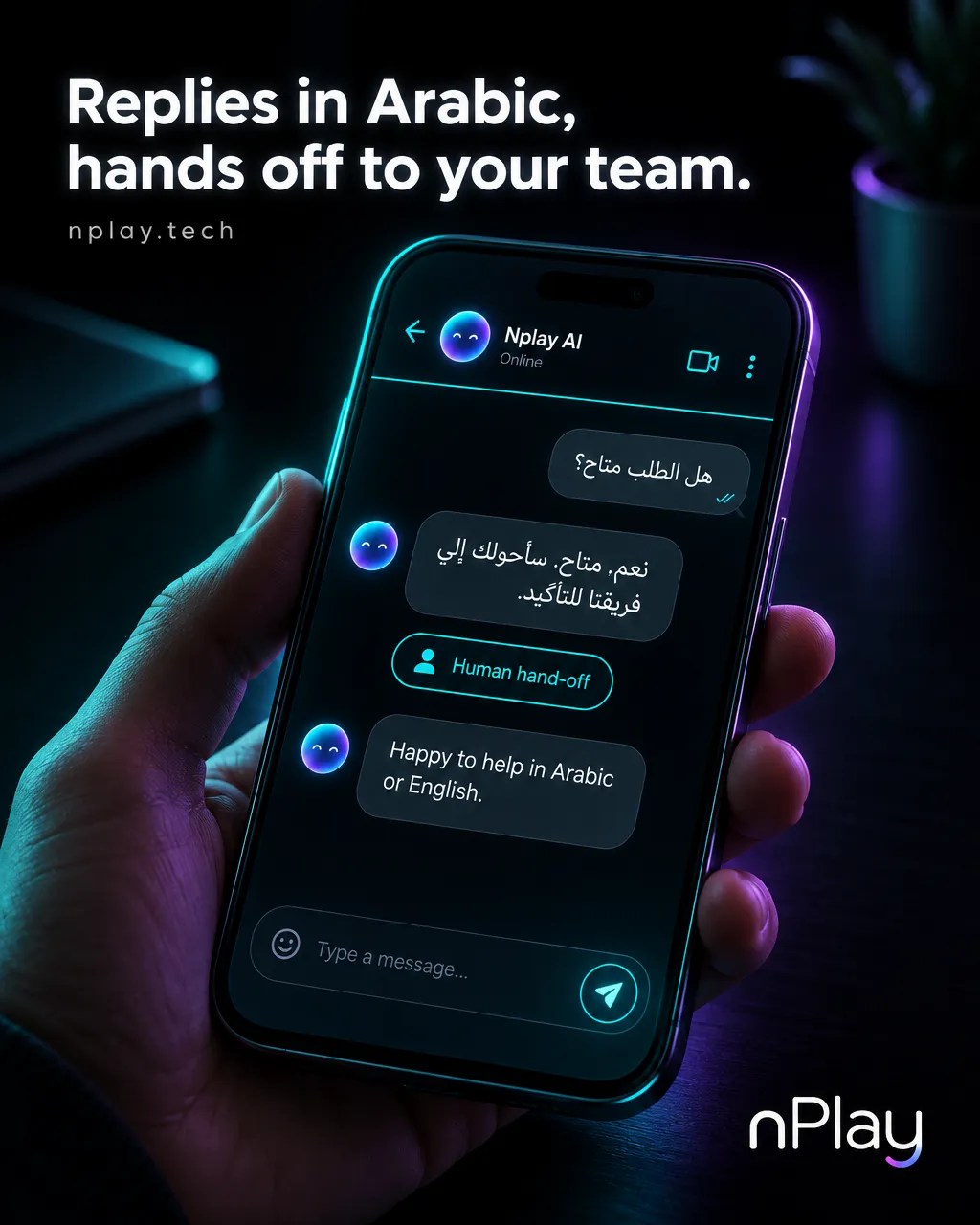
    One AI agent that answers in two dialects, by Nplay
    One AI agent that answers in two dialects, by Nplay
    AI agents for customer service by Nplay
    AI agents for customer service by Nplay
    AI avatars for Arabic business: AI agent handing a conversation to the team, by Nplay
    AI agent handing a conversation to the team, by Nplay
  • Meet Your Brand’s AI Avatar: Digital Humans Built for Saudi Arabia

    Meet Your Brand’s AI Avatar: Digital Humans Built for Saudi Arabia

    AI avatars in Saudi Arabia: a practical guide from Nplay. This article covers what matters about AI avatars in Saudi Arabia, from the first idea to delivery.

    What an AI Avatar Actually Is

    An AI avatar is a branded digital human — not a generic chatbot character borrowed off the shelf. It has a face, a voice, and a personality designed around the organization it represents, and it holds real conversations rather than playing back scripted lines. Nplay builds AI avatars that speak naturally in Arabic and English, switching languages automatically as a visitor switches, and that are trained on the specific organization’s services, locations and FAQs so the answers they give are accurate rather than generic.

    Meet Your Brand's AI Avatar: Digital Humans Built for Saudi Arabia

    Why Saudi Arabia’s Brands Are Adopting Them

    Saudi Arabia’s Vision 2030 program has pushed the Kingdom into one of the fastest periods of service-sector expansion anywhere in the world — new government service centers, retail destinations, healthcare facilities and hospitality brands, most expected to perform bilingually from day one. Across the wider GCC, research from MarkNtel Advisors puts the region’s augmented and virtual reality market on a roughly 39 percent compound annual growth rate through 2028, with healthcare, education, retail and entertainment named as the sectors pulling that growth hardest. An AI avatar is one of the more direct ways a brand can show up consistently across that expansion — on a kiosk, a website or an event stage — without adding headcount for every new location.

    One Brain, Many Faces

    The same conversational AI backend can appear in more than one place at once. A visitor center might run its AI avatar as a touch-kiosk receptionist at the door, then project the same underlying “brain” as a full AI Hologram presenter on stage for a launch event — same trained knowledge, same bilingual voice intelligence, just displayed differently. That shared foundation is also why the avatar itself is brandable: appearance, uniform, voice and personality are styled to match the organization it represents, not a generic character reused across every client.

    Where Riyadh Organizations Are Using AI Avatars

    Vision 2030’s giga-projects — NEOM, Qiddiya, Red Sea Global — are not Nplay engagements, and this article makes no claim that they are. What they represent is the clearest public evidence of the scale Saudi Arabia is building at, and the reason bilingual, always-on visitor experience has moved from a nice-to-have to an expectation across the Kingdom’s service economy. A reception desk in Riyadh, an exhibition stand at a trade show, or a service center anywhere in the Kingdom now competes on the same first impression as a giga-project welcome center — and a branded AI avatar is one of the more direct ways to meet that bar.

    Getting Started

    An AI avatar is not a replacement for your team — it is a way to make sure every visitor, in Arabic or English, at 9am or 9pm, meets a consistent, on-brand welcome. If you are building a presence in Riyadh or elsewhere in Saudi Arabia and want to see what an AI avatar looks like for your organization, Nplay can walk you through it.

    Further reading: NIST AI Risk Management Framework

    Quick questions about AI avatars in Saudi Arabia

    Who is AI avatars in Saudi Arabia for? Companies and institutions that want a clearer, faster experience for their customers and visitors.

    How long does AI avatars in Saudi Arabia take? It depends on the size of the project and the content needed. We confirm the timeline after a short discovery call.

    How do I start with AI avatars in Saudi Arabia? Contact the Nplay team in Amman or Riyadh and we will suggest a clear first step.

    One AI agent that answers in two dialects, by Nplay
    One AI agent that answers in two dialects, by Nplay
    AI agents for customer service by Nplay
    AI agents for customer service by Nplay

    In short, AI avatars in Saudi Arabia works best when it starts from a clear goal. Nplay plans AI avatars in Saudi Arabia around your audience, your space and your budget.

    AI avatars in Saudi Arabia: AI agent handing a conversation to the team, by Nplay
    AI agent handing a conversation to the team, by Nplay
  • AI presenters: when the avatar gives the pitch and answers the questions

    AI presenters: when the avatar gives the pitch and answers the questions

    Ai avatar presentation: a practical guide from Nplay. This article covers what matters about ai avatar presentation, from the first idea to delivery.

    An AI avatar presentation can deliver training and sales content in Arabic and English, the same way every time. It is three in the afternoon on the second day of an exhibition. The best presenter on your team has given the same fifteen-minute pitch eleven times and is starting to skip slides. An AI presenter gives it for the twelfth time exactly as well as the first, in Arabic or English, and then answers the visitor’s question. This is how Nplay Orator and the Halo Box AI avatar work, where they are useful, and where they are not.

    AI presenters: when the avatar gives the pitch and answers the questions

    The twelfth pitch of the day

    Anyone who has staffed an exhibition stand knows the arc. Morning: energy, eye contact, the full story. Early afternoon: the story is tighter, which is good. Late afternoon: slides are being skipped, questions are being deflected to “let me take your card”, and the visitor who arrives at ten to five gets a version of your company that you would not recognise.

    The same arc plays out in training rooms, where the fortieth cohort hears a flatter version of the induction than the first, and in customer support, where the answer to the most common question depends on who picks up.

    An AI presenter removes the arc. It is an avatar — a lifelike virtual presenter with a face, a voice and a personality you choose — that delivers your presentation with the same energy every time, switches between languages when the visitor does, and answers questions in real time from a knowledge base you have given it. It does not replace your best presenter. It makes sure the visitor at ten to five meets them.

    Nplay builds this in two forms: Nplay Orator, a cloud platform for AI-avatar presentations that is in development, and the AI avatar system that ships today inside the Halo Box hologram display. They share the same idea and the same engine, so the rest of this post treats them together and flags the differences where they matter.

    Five steps from a folder of slides to a presenter that answers back

    Setting up an AI presentation follows the same five steps whether the presenter will live on a web page or inside a hologram.

    1. Customise the avatar. Choose or design the presenter’s appearance, then the voice — pre-recorded male and female voices in various accents, or record your own so the avatar speaks with your voice — and the environment behind it, from an office to a conference room to an outdoor scene that matches the brand.
    2. Set the personality. Formal or warm, brief or thorough, how it handles a question it cannot answer. On the Halo Box this includes persona and animations.
    3. Upload the knowledge base and content. The presentation itself — videos, PDFs, images and interactive dashboards — and the documents the avatar is allowed to answer from: product sheets, FAQs, policies, price lists.
    4. Connect content to the avatar. Decide what the presenter shows at each point, which language it opens in, and when it pauses for questions. The avatar interacts with the content dynamically rather than reading captions over it.
    5. Present. Publish to the web, to a phone, or to the box on your stand, and let it run. Analytics show what was asked and where visitors dropped off.

    Under the surface this is an avatar engine with natural-language processing and computer vision, a real-time interaction layer for live questions and answers, and a content integration layer. Above the surface it feels like a colleague who has memorised the deck and read every document in the shared drive.

    Use cases

    Four jobs an AI presenter does well

    Use caseWhat the avatar doesWhere it runsWhat changes
    Corporate trainingDelivers induction and compliance modules, quizzes, answers policy questions in Arabic or EnglishWeb, mobile, training room screenEvery cohort gets the same quality; trainers handle the hard questions only
    Sales and marketingGives the product pitch on a stand or in a showroom, demonstrates 3D products, qualifies visitors, captures leadsHalo Box hologram, showroom screen, webThe pitch at 16:50 is as good as at 09:00; the team follows up rather than repeats
    Education and e-learningTeaches a lesson, switches language for each student, answers questions from course materialWeb, mobile, classroom Halo BoxStudents ask questions they would not ask a person; lessons available on demand
    Customer support and FAQsGreets visitors, answers common questions, books appointments, directs to the right deskHalo Box in a lobby or clinic, kiosk, webFront desk handles exceptions; the common 80 per cent is answered instantly

    On the stand: a presenter who demonstrates the product and remembers the visitor

    Sales and marketing is where clients ask for AI presenters first, and the exhibition stand is the sharpest example. Put the avatar inside a Halo Box and it becomes a life-size presenter behind glass, standing next to the physical product, with the 3D model of that product floating beside it. A visitor walks up. The avatar greets them, asks which language they prefer, and gives the pitch. The visitor interrupts with a question about delivery times to Jeddah. The avatar answers from the knowledge base and offers to take their details.

    Three things make this better than a video loop. The avatar answers, so the visitor is in a conversation rather than watching an advert. The avatar demonstrates: the 3D viewer lets it rotate, open and annotate the product on request. And the avatar records: every question asked is logged, which tells the marketing team what the market actually wanted to know — often not what the deck assumed.

    The same setup moves into a showroom or a flagship store after the exhibition, which is why we designed the Halo Box to ship as one unit needing only power and internet. We wrote about the Saudi events side of this in AI avatars in Saudi Arabia; the pattern is the same in Amman.

    In the training room: the same induction for the fortieth cohort

    Corporate training is the quieter use case and, we think, the one with the clearest return. Most large organisations in the Gulf deliver the same core modules — induction, safety, compliance, product knowledge — dozens of times a year, to staff who speak several languages, in a format that depends heavily on which trainer is available.

    An AI presenter delivers the module identically every time, in the learner’s language, with the interactive elements built in: pause here for a quiz, show this dashboard, answer questions about the policy from the policy document itself. Trainers are freed for the parts of training that need a human — judgement, discussion, the awkward question about a real incident — and learners get the base content on demand, on their phones, before they arrive.

    For technical and vocational subjects the avatar pairs naturally with 3D content. A presenter that can pull apart a pump or a heart in front of the class, on a classroom Halo Box or a laptop, is what our Nplay Scholar training platform is being built around. The AI presenter is the teacher; the 3D model is the textbook; the learner does the dissecting.

    In the lobby: the receptionist who speaks every visitor’s language

    Customer support and FAQs is the use case that has spread fastest in Saudi Arabia, in the form of an AI receptionist. The Halo Box stands in a lobby, a clinic or a government service centre. A visitor approaches. The avatar greets them in Arabic, switches to English or another language on request, and answers the questions that make up most of a front desk’s day: where is this department, what documents do I need, is Dr. Ahmad available this afternoon, can I book.

    Because the AI avatar system supports multilingual interaction from a single knowledge base, one receptionist serves every visitor. Because it is trained on the organisation’s own information — opening hours, departments, procedures — it gives the organisation’s answer rather than a generic one. And because it is patient in a way that a human at the end of a shift cannot be, the visitor who asks the same question three times gets the same courteous answer three times.

    The human receptionist does not disappear. They handle the exceptions, the upset visitor, the case that needs judgement. We have described the deployment pattern in detail on the AI receptionist page and in AI receptionists in Saudi Arabia.

    What the avatar is not, and where the real work is

    We sell these systems, so it is worth being clear about their limits.

    The avatar knows what you teach it and nothing else. If the knowledge base is thin, the answers are thin; if the product sheet is out of date, so is the presenter. The real work in every deployment we have done is not the avatar — it is assembling, checking and maintaining the content it presents and answers from. Budget time for that, and appoint someone to own it after launch.

    The avatar is a presenter, not a negotiator. It should hand over to a human when the conversation moves from information to judgement, and it should say so gracefully. We configure that handover deliberately, and we recommend every client tests it with their most difficult customer before going live.

    And the products are at different stages. The Halo Box AI avatar is deployed today in lobbies, clinics and on exhibition stands in Jordan and Saudi Arabia. Nplay Orator, the cloud presentation platform for web and mobile, is in development; it shares the engine and we are running it with early clients. Our AI tools service page describes what we can deliver now. Ask us which is right for your case and we will tell you honestly, including when a well-made video would do the job for less.

    FAQ

    AI avatar presentation: frequently asked questions

    Can the AI presenter speak Arabic and English in the same session?

    Yes. The avatar supports multiple languages from a single knowledge base and can switch when the visitor or learner does, with voice and delivery adapted to each language.

    How does the avatar know the answers?

    From the knowledge base you upload — product sheets, FAQs, policies, course material. It answers only from that material, which is why maintaining the content is the main ongoing task in every deployment.

    What is the difference between Nplay Orator and the Halo Box avatar?

    They share the same avatar engine. The Halo Box avatar is deployed today inside our hologram display for stands, lobbies and classrooms. Orator is the cloud platform for web and mobile presentations and is in development.

    Can I use my own voice and a custom avatar?

    Yes. You can record your own voice for the avatar to speak with, choose or design its appearance, and select a virtual environment that matches your brand.

    Further reading: NIST AI Risk Management Framework

    Quick questions about ai avatar presentation

    Who is ai avatar presentation for? Companies and institutions that want a clearer, faster experience for their customers and visitors.

    How long does ai avatar presentation take? It depends on the size of the project and the content needed. We confirm the timeline after a short discovery call.

    How do I start with ai avatar presentation? Contact the Nplay team in Amman or Riyadh and we will suggest a clear first step.

    Does ai avatar presentation work in Arabic and English? Yes. We prepare the content in both languages from day one.

    One AI agent that answers in two dialects, by Nplay
    One AI agent that answers in two dialects, by Nplay
    AI agents for customer service by Nplay
    AI agents for customer service by Nplay

    In short, ai avatar presentation works best when it starts from a clear goal. Nplay plans ai avatar presentation around your audience, your space and your budget. If you are comparing options for ai avatar presentation, ask for a live demo before you decide. We are happy to answer any question about ai avatar presentation.

    ai avatar presentation: AI agent handing a conversation to the team, by Nplay
    AI agent handing a conversation to the team, by Nplay
  • The lobby that answers back: AI receptionists, holograms and the first 30 seconds

    The lobby that answers back: AI receptionists, holograms and the first 30 seconds

    Ai receptionist jordan: a practical guide from Nplay. This article covers what matters about ai receptionist jordan, from the first idea to delivery.

    Thinking about an AI receptionist? Jordan’s lobbies, clinics and offices are a good fit when visitors ask the same questions. A visitor forms an opinion of an organisation in the first half-minute inside its door, and in most lobbies that half-minute is spent looking for someone to ask. Our AI receptionist answers, directs and books in Arabic and English from a knowledge base the organisation controls; put it on a Nplay Halo Box and it stands in the lobby at life size. This post explains how an AI receptionist in Jordan or Saudi Arabia works, what it should and should not do, and what an organisation has to prepare before switching it on.

    The lobby that answers back: AI receptionists, holograms and the first 30 seconds

    What actually happens in the first 30 seconds

    Watch a lobby for an hour and the pattern is obvious. A visitor comes through the door, stops, and scans for a desk, a sign or a face. If the desk is staffed and free, they walk to it. If the receptionist is on the phone, dealing with someone else or absent, they hover, check their phone for the name of the person they are meeting, and start reading signage that was designed for people who already know the building.

    The questions are always the same. Where is this office. Who do I tell that I have arrived. Where is the meeting room, the clinic, the department, the toilet. Is my appointment confirmed. What are your hours. And in Jordan and Saudi Arabia the questions arrive in Arabic, English and often a third language, from visitors who are not always comfortable asking a stranger.

    A human receptionist is good at this and cannot be in two places. The desk empties at prayer time, at lunch, at shift change and whenever a delivery arrives. The AI receptionist is our answer to the empty desk and the queue behind the full one: a presence that is always there, always polite, and knows the building.

    We built it because organisations kept asking for the same thing under different names — a smart kiosk, a digital concierge, a virtual assistant for the lobby — and because the same avatar system was already greeting visitors at exhibitions and heritage sites on our hologram boxes.

    An avatar, a knowledge bank and three verbs

    The AI receptionist is an AI avatar with a job description. Technically it is the same avatar system that runs on the Halo Box: an AI-driven character that “learns and responds in real time”, to which you “teach custom knowledge” and “enable multilingual interactions”. Setting it up follows three steps — customise the avatar’s persona, voice and animations; teach it the organisation’s knowledge; publish it to the box, a kiosk or a web page.

    The knowledge bank is what makes it a receptionist rather than a chatbot. It holds the building’s directory, opening hours, the departments and what they do, the appointment system, visitor policies, directions to every room and the answers to the questions the real front desk hears every day. It is written and maintained by the organisation, so what the avatar says is authorised.

    Its work reduces to three verbs. It answers: hours, locations, services, policies, in Arabic or English as the visitor prefers. It directs: which floor, which corridor, shown on the screen and, where wanted, handed to the visitor’s phone. And it books: an appointment, a meeting-room slot, a visitor registration, through the systems it is integrated with, with a confirmation sent to the visitor.

    The multilingual part is not an afterthought for our region. An AI receptionist in Arabic and English, switching by what the visitor says, is the baseline for Saudi Arabia and Jordan; further languages are configured from the same knowledge bank.

    Putting it in the lobby at life size

    A receptionist on a tablet is a form. A receptionist at life size in a lit glass cabinet is a presence, and that is what the Halo Box adds.

    The 86-inch transparent display shows the avatar standing, full height, with the lobby visible through the glass around it. The built-in 4K camera lets the avatar notice that someone has approached and turn to greet them. The eight-microphone array picks up speech in a noisy lobby; two 18-watt speakers answer. The 40-point touchscreen lets a visitor tap a directory or a map instead of speaking, which many prefer in public. Dimmable internal lighting and anti-glare glass mean it reads in a glass-fronted lobby at midday.

    Installation is not a project. The box ships complete; it needs a power socket and an internet connection, and it can be moved when the lobby is refitted. For smaller receptions the 21.5-inch Mini runs the same avatar on a counter. The AI hologram page describes the combination in detail.

    Because the box is on our cloud platform, the receptionist is managed remotely: knowledge updates, new announcements, a seasonal greeting, and a log of what visitors asked. That log is a gift to facilities and communications teams, who finally learn what people cannot find.

    Division of labour

    What the AI receptionist does, and what stays human

    Lobby taskAI receptionistHuman staff
    Greet a visitor within secondsEvery time, in Arabic or EnglishWhen free
    Answer hours, locations, services, policiesFrom the authorised knowledge bankConfirm exceptions
    Give directionsOn screen and to the visitor’s phoneEscort when needed
    Announce a visitor’s arrivalNotify the host by messageReceive the guest
    Book an appointment or meeting roomThrough the integrated booking systemHandle conflicts
    Register a visitorCapture details, issue instructions or a badgeVerify identity where required
    Handle a complaint or a sensitive matterRecognise it and hand overAlways
    Security and emergenciesDisplay instructions; alert staffAlways
    Learn what visitors askLog every question for reviewRead the log and fix the signage

    What it should not do, and how it hands over

    The quickest way to ruin an AI receptionist is to ask it to do everything. Our rule is that it handles the repeatable, and it recognises the rest.

    It should not attempt complaints, disputes, medical or legal questions, identity verification where the law requires a person, or anything a visitor is visibly upset about. For each of these it needs a designed hand-over: call a named person, open a chat, print a ticket, or simply say where the human desk is and that someone is coming. The hand-over is part of the knowledge base, not an afterthought, and it is the part we spend most time on with clients.

    It should also not pretend. The avatar is introduced as a digital receptionist. Visitors in our experience are comfortable with that; what they dislike is discovering it later.

    Data deserves the same care. The platform’s security features — hosted on a major cloud object store with server TLS, firewall and password policies, device lock-down and storage encryption — cover the infrastructure. The organisation decides what the receptionist may collect, how long question logs are kept and who can read them. For hospitals, banks and government buildings, that policy is written before the box arrives.

    Where a lobby also has a human desk, the two work best as a pair: the avatar absorbs the routine questions and the queue; the person does the things that need a person.

    The same receptionist on kiosks, the web and in presentations

    Once the knowledge bank exists, the receptionist is a thing you can publish anywhere. On interactive kiosks at branch entrances. On the organisation’s website, answering the same questions before the visitor leaves home. On a phone, guiding a visitor across a campus or a hospital. In our mass-gathering proposals the same avatar system guides visitors to lost-and-found stations and alerts security when a child is reported missing — a receptionist for a city-sized lobby.

    For presentations rather than reception, Nplay Orator, our AI-avatar presentation platform in development, takes the same avatar and gives it a deck, so that a product briefing or an induction is delivered by a presenter who can also take questions.

    The economics follow from that reuse. The knowledge bank is written once; each new channel is a publishing decision. For a company with ten branches and one head-office lobby, the hologram in the lobby and the kiosks in the branches share one brain.

    Our earlier post on Arabic AI receptionists in Saudi Arabia covers the market case. This one is about the first thirty seconds: a visitor walks in, and something life-size, polite and well-informed turns towards them and asks, in their language, how it can help. That is the lobby that answers back.

    FAQ

    AI receptionist Jordan: frequently asked questions

    Does the AI receptionist speak Arabic?

    Yes. Arabic and English are the baseline for Jordan and Saudi Arabia, with the avatar switching to the language the visitor uses; additional languages are configured from the same knowledge bank.

    Who writes what the receptionist knows?

    The organisation, in a knowledge bank it maintains through the cloud dashboard: directory, hours, services, policies, directions and booking rules. The avatar answers only from that authorised content.

    Does it replace the front desk?

    It absorbs the repeatable questions, wayfinding, arrival notifications and bookings, and hands over to staff for complaints, sensitive matters, identity checks and emergencies. Most lobbies run both.

    What does installation involve?

    For the hologram version, a Halo Box ships as a complete unit and needs power and internet. Kiosk and web versions publish the same avatar to existing screens and sites.

    Further reading: Holography (Wikipedia)

    Quick questions about ai receptionist jordan

    Who is ai receptionist jordan for? Companies and institutions that want a clearer, faster experience for their customers and visitors.

    How long does ai receptionist jordan take? It depends on the size of the project and the content needed. We confirm the timeline after a short discovery call.

    How do I start with ai receptionist jordan? Contact the Nplay team in Amman or Riyadh and we will suggest a clear first step.

    Does ai receptionist jordan work in Arabic and English? Yes. We prepare the content in both languages from day one.

    One AI agent that answers in two dialects, by Nplay
    One AI agent that answers in two dialects, by Nplay
    AI agents for customer service by Nplay
    AI agents for customer service by Nplay

    In short, ai receptionist jordan works best when it starts from a clear goal. Nplay plans ai receptionist jordan around your audience, your space and your budget. If you are comparing options for ai receptionist jordan, ask for a live demo before you decide. We are happy to answer any question about ai receptionist jordan.

    ai receptionist jordan: AI agent handing a conversation to the team, by Nplay
    AI agent handing a conversation to the team, by Nplay